 Skip to content
IPTV Free Trial: How to Test Before You Buy (2026)
An IPTV free trial is a short test period — usually a few hours to a couple of days — that lets you watch a service on your own device before you pay for it. Use it well and you will know in one evening whether a provider is worth your money. The trick is simple: don’t just check that it turns on. Test it the way you will actually use it — on your real TV, at the busiest time of night, with the channels and shows you care about. This guide walks through exactly what to look for, how long trials usually run, and the warning signs that should make you walk away.
What an IPTV free trial actually is
A free trial is a temporary, no-strings test of the full service. For a few hours or days you get a working login — an M3U link or Xtream Codes credentials — that you load into a player app and use exactly like a paying customer would. The point is to let you judge stream quality, channel coverage, and reliability before any money changes hands. Think of it as a test drive: the car looks fine in the showroom, but you only learn how it really handles once you take it out on the road.
If you are still new to how the whole system works, our explainer on what an IPTV service is covers the basics, and how IPTV player apps work shows where you actually plug your trial login in.
Why the trial matters more than the channel list
Every provider’s sales page promises thousands of channels, live sports, and a huge library of movies and series. Those numbers tell you almost nothing. What separates a good service from a frustrating one is whether the streams hold up when everyone is watching, whether your specific channels are actually there, and whether the picture stays sharp instead of dropping to a blocky mess. None of that shows up on a feature list — you can only see it by watching. A trial is the one chance you get to check the things that matter before you are locked into a subscription.
It is also your best defence against a bad deal. A service that refuses to let you test anything, or that only “works” for the first ten minutes, is telling you something. Spotting that early saves you from the kind of unauthorized charges and billing headaches that come with sketchy operators.
What to test during your free trial
Don’t waste the trial flicking through channels at random. Run it like a quick checklist. These are the things that actually predict whether you will be happy a month from now.
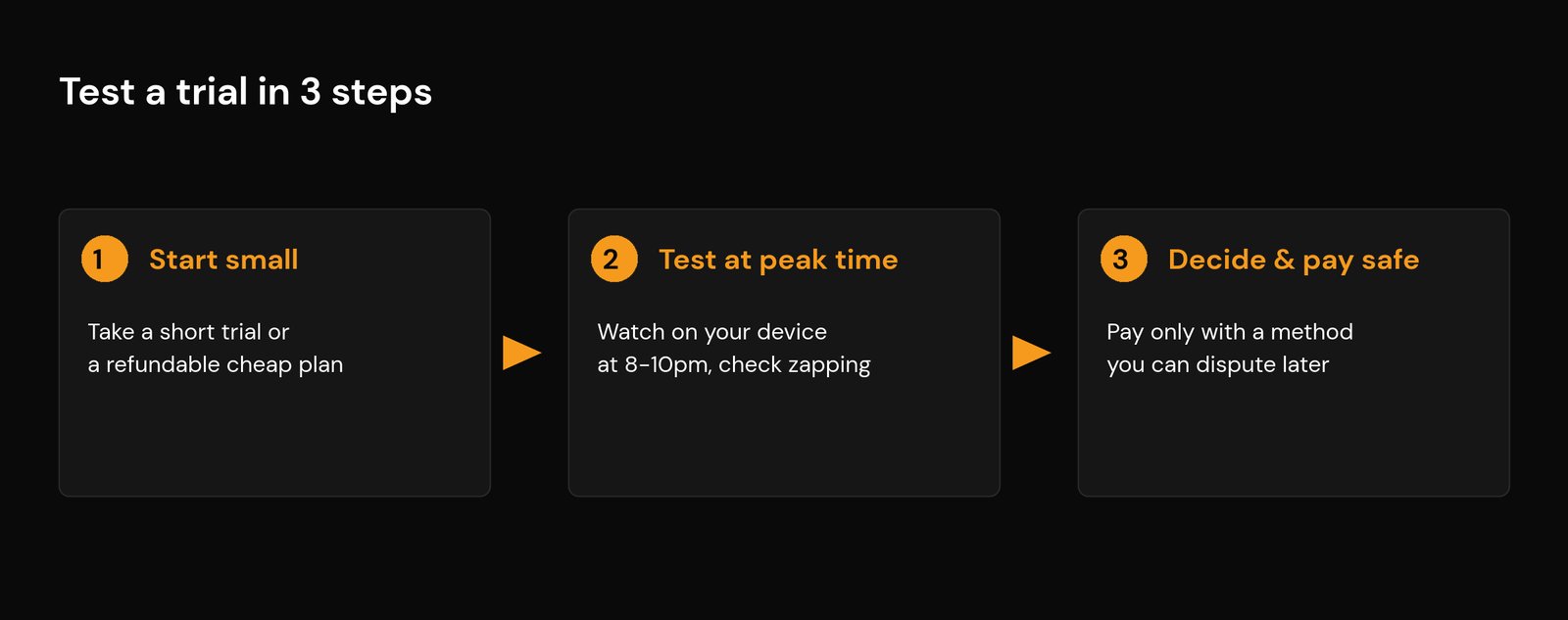
- Peak-hour stability. This is the big one. Streams that are flawless at 2pm often fall apart between roughly 8pm and 11pm, when servers are under the most load — and they get worse during big live events. Deliberately watch during those hours. If it buffers or freezes when it is busy, no setting on your end will fully fix it. Our guide to fixing IPTV buffering and cloud errors explains why this happens.
- Your must-watch content. Open the exact channels and on-demand titles you care about, not just the first ones in the list. Check they exist, that they are in HD where you expect it, and that the picture is clean.
- Channel switching speed. A good service loads a channel in a second or two. If every channel change means a long black screen or a spinning wheel, that is a sign of weak infrastructure.
- The TV guide (EPG). A working electronic program guide should be full and show the right times for your timezone. A blank or badly mismatched guide is a hassle you will live with daily.
- Your real device and connection count. Test on the actual TV or stick you will use — a streaming stick, Smart TV, or box. Also try playing on two screens at once to see how many simultaneous streams the plan really allows.
- Support response. Send one question before you pay and time the reply. The team that answers you now is the same team you will rely on when something breaks later. Slow or robotic answers are a preview of the after-sales experience.
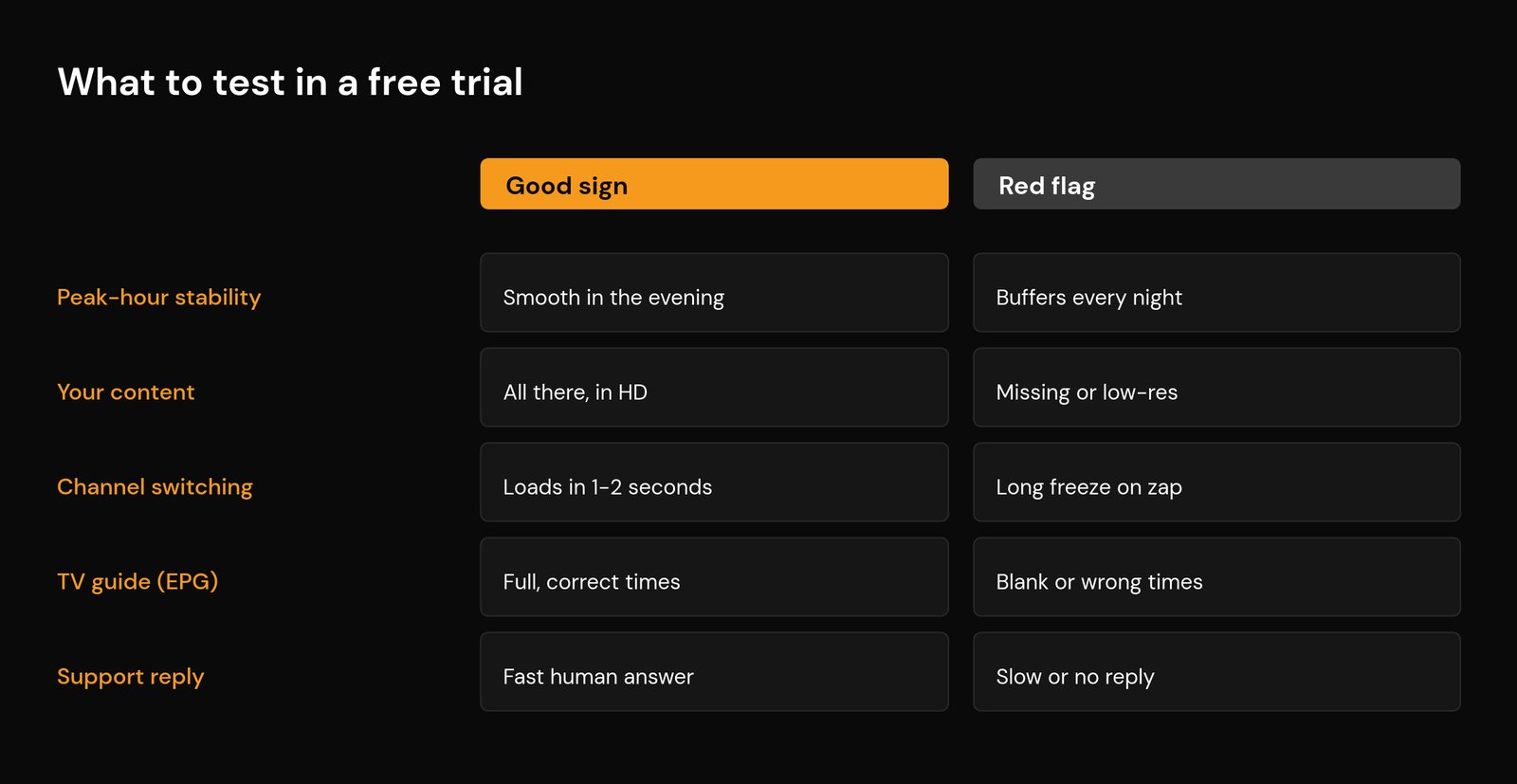
Here is the same checklist as a quick reference — what a healthy trial looks like versus the signs that should give you pause.
| What to test | Good sign | Red flag |
|---|---|---|
| Peak-hour stability | Smooth in the evening and during live events | Buffers or freezes every night |
| Your content | All there, in the quality you expect | Missing channels or low-resolution streams |
| Channel switching | Loads in one to two seconds | Long black screen on every change |
| TV guide (EPG) | Full and showing correct local times | Blank, partial, or wrong times |
| Support reply | Fast, clear, human answer | Slow, vague, or no reply at all |
One thing the trial won’t expose on its own: your own connection. If a stream struggles, rule out your side first by checking you have enough internet speed for IPTV and decent Wi-Fi settings before you blame the provider.
How long do IPTV free trials last?
There is no single standard, but most fall into a few buckets. Many providers offer a short trial measured in hours — often between two and twenty-four hours — which is just enough to run the checklist above. Some give a full 24 to 48 hours, which is better because it lets you test across two different evenings. A short window is not automatically a bad sign; it simply means you need to be ready to test properly the moment your login is active rather than letting it expire unused.
Not every service runs a free trial at all. Some skip it in favour of a short paid plan with a money-back guarantee — you pay a small amount, test the service, and request a refund if it falls short. That can actually be a stronger signal of confidence than a free trial, as long as the refund terms are written clearly and you pay with a method you can dispute. If you go this route, buy the cheapest, shortest plan available so there is little at stake.
Red flags to watch for when you sign up
The signup process tells you a lot before you have watched a single minute. Be cautious if you see any of these:
- It demands far more personal detail than it needs. A trial needs a contact email at most. Requests for a full home address, ID, or unnecessary account details are a privacy risk — and a reminder that an IPTV setup can expose data if you are careless.
- It only accepts untraceable payment. If the “free” trial or cheap plan can only be paid for by gift cards, wire transfer, or cryptocurrency with no normal option, treat that as a serious warning. Our guide to safe IPTV payments covers what to use instead.
- The price looks impossible. Promises of every premium channel and all the live sports for a couple of dollars a month are a classic bait. Cheap is fine; impossibly cheap usually means an unstable reseller that disappears.
- There is no clear way to contact a human. No support channel, no response to your test question, or only a chat bot that dodges every direct question.
- The trial quietly rolls into a paid subscription. Read the fine print for auto-billing. A trial that needs your card up front and bills automatically unless you cancel is designed to catch you out.
Most of this comes down to one habit: treating the trial as a test of the provider, not just the streams. For the bigger picture on separating reliable operators from the rest, see our guide on choosing a good IPTV provider and why it pays to stick with legitimate, legal services.
How to use a trial safely
Testing a new service does carry a little risk, so keep a few simple guards in place. Share as little personal information as possible — a throwaway email is fine for a trial. Never hand over a payment method you cannot dispute later; a card or a service with strong buyer protection means you can request a chargeback if a provider charges you unexpectedly. Avoid installing obscure apps from links a seller sends you; stick to well-known player apps and load your trial playlist into those instead. And if you are testing on a connection your provider might throttle, that is a separate question covered in our piece on getting around IPTV restrictions — but you should never need shady software just to watch a trial.
What to do when the trial ends
If the service passed your checklist — smooth in the evening, your content present, a working guide, and helpful support — you can buy with confidence. Start with a short plan rather than committing to a full year straight away, even with a good provider, so you have an easy exit if quality slips later. When you do subscribe, get your login onto each screen cleanly using our walkthrough on how to set up IPTV on any device.
If it failed, move on without a second thought — there is always another service to try, and a trial that disappointed you now will only disappoint you more once you have paid. The whole purpose of a free trial is to make that call cheap and reversible. Use it.
Frequently asked questions
Are IPTV free trials safe to use?
A free trial is reasonably safe if you protect yourself: share only a throwaway email, never pay with untraceable methods like gift cards or wire transfer, and avoid installing unknown apps a seller links you to. Load the trial playlist into a well-known player app instead. The trial itself is just a temporary login, so the main risks are around payment and personal data, not the streaming.
How long does an IPTV free trial last?
Most last from a couple of hours up to 24 or 48 hours. Shorter windows are common and not necessarily a bad sign, but they mean you should be ready to test the moment your login is active. Some providers replace the free trial with a cheap short plan plus a money-back guarantee instead.
What should I check during an IPTV free trial?
Test peak-hour stability between roughly 8pm and 11pm, confirm your must-watch channels and on-demand titles are present and in HD, time how fast channels switch, check the TV guide shows correct local times, and send support a question to gauge their response. Always test on the actual device and connection you plan to use.
Why does my IPTV trial buffer at night but not during the day?
Evening buffering usually points to the provider’s servers being overloaded at peak times, or your own connection being congested or throttled. Rule out your side first by checking your internet speed and Wi-Fi setup. If everything on your end is fine and it still buffers every evening, that is the trial doing its job and warning you off.
What if a service does not offer a free trial?
Look for a short paid plan with a clear money-back guarantee, and buy the cheapest option available so little is at stake. A provider confident enough to offer a written, honest refund policy can be a safer bet than a flashy free trial. Just pay with a method you can dispute, and keep the refund terms in writing.






