 Skip to content

Best Android TV Box for IPTV 2026: 4 Certified 4K Picks
By Nviewx · Updated October 2026 · ~11 min read
The best Android TV box for IPTV in 2026, for most people, is the Google TV Streamer (4K) — it is fast, officially supported, and runs every IPTV player app without drama. If you want the best performance money can buy, the NVIDIA Shield TV is still the box to beat. On a tight budget, the Walmart Onn 4K Pro does most of what the pricey boxes do for around sixty dollars.
But the box you pick matters less than the trap most “best Android TV box” lists quietly walk you into: the pile of thirty-dollar no-name boxes with names like T95 or X96. Those cut every corner that counts for IPTV, and a large share of them ship with malware baked in before you open the packaging. We set up IPTV on these devices every week, so below are the certified boxes we actually trust — and exactly how to spot the junk you should never plug into your network.
The best Android TV boxes for IPTV in 2026 at a glance
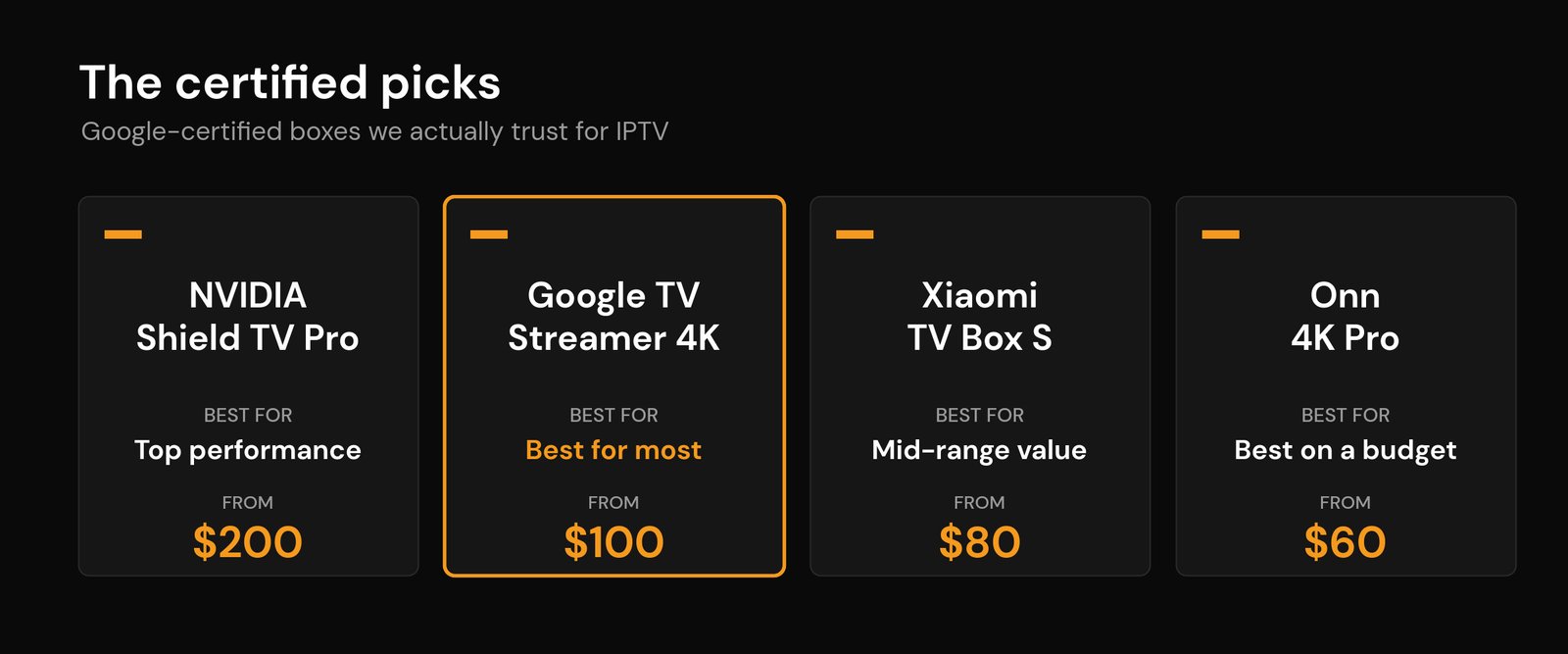
All four of these run a genuine, Google-certified version of Android TV / Google TV, which means real security scanning, real updates, and a proper app store. Prices are rough US street prices and move around, so treat them as a guide.
| Box | Best for | Standout for IPTV | Rough price |
|---|---|---|---|
| NVIDIA Shield TV Pro | Top performance | Gigabit Ethernet, 3GB RAM, AI upscaling (full Shield review) | ~$200 |
| Google TV Streamer (4K) | Most people | 4GB RAM, official support, smooth menus | ~$100 |
| Xiaomi TV Box S (3rd Gen) | Mid-range value | Wi-Fi 6, 32GB storage, 4K HDR | ~$80 |
| Walmart Onn 4K Pro | Tight budget | Ethernet port and Wi-Fi 6 for under $60 | ~$60 |
What actually matters in a box for IPTV
Marketing pages love to shout about “8K support” and huge made-up RAM numbers. For IPTV, only a handful of specs change your day-to-day experience. Here is what we look at first, and why.
| What to check | Why it matters for IPTV |
|---|---|
| Google-certified OS | A certified Android TV / Google TV box gets Play Protect security scanning, real software updates, and the official app store. Uncertified boxes miss all three. |
| RAM (aim for 3–4GB) | An IPTV player keeps a large channel list and the TV guide in memory. Boxes with 1–2GB stutter and crash when you scroll a big list or open the guide. |
| Storage (8GB or more) | You need room for the player, its cache, and downloaded guide data. Cramped 8GB boxes fill up fast and start throwing “storage full” errors. |
| Ethernet port | A wired connection is the single most reliable fix for evening buffering. Not every box has one — the Shield and the Onn 4K Pro do. We measured the difference in Ethernet vs Wi-Fi for IPTV. |
| Wi-Fi 6 | If you have to go wireless, Wi-Fi 6 copes with a congested home network far better than older Wi-Fi, which helps during peak hours. |
| Widevine L1 | This only matters for the premium on-demand apps you might run alongside IPTV. Widevine L1 unlocks HD and 4K in those apps; a box stuck on L3 is capped at low resolution. Standard IPTV streams do not need it, but every certified box on our list has L1 anyway. |
One thing that is not on that list: the “Android TV box” label alone. A cheap box can print those words on the packaging and still run a hacked, uncertified version of Android with none of the protection above. That difference is the whole game, so it gets its own section further down.
What a box needs for 4K IPTV (it is not the sticker)
Almost every Android TV box on sale prints “4K” on the front, and almost every one of them can output a 4K picture to your TV. That is not the same as playing a 4K IPTV channel smoothly. Three things decide that, and the sticker covers none of them.
A hardware decoder for the right codec. 4K live channels are almost always encoded in HEVC (H.265), because the older H.264 would need roughly twice the bandwidth for the same picture. A certified box decodes HEVC in dedicated hardware without breaking a sweat. A budget no-name box often falls back to the CPU for some streams, and that is when you get the stutter that looks like buffering but is not. If your player has a hardware/software decoder toggle, that is the setting doing the work.
Enough bandwidth, delivered steadily. A 4K IPTV channel typically wants something in the region of 25 Mbps of real, sustained throughput, and it is the evening dips that hurt, not the speed-test peak. Our guide to the internet speed you need for IPTV has the per-quality numbers, and this is exactly where the Ethernet port on the Shield and the Onn 4K Pro earns its keep.
A real 4K source. The box cannot add detail that is not in the stream. Plenty of channels labelled 4K are upscaled HD, and no box fixes that – though the Shield’s AI upscaling does make honest 1080p look noticeably better on a big screen.
All four boxes below handle HEVC 4K in hardware. That alone is the reason the thirty-dollar boxes are not on the list.
The certified picks, reviewed
NVIDIA Shield TV — best overall
Years after launch, the NVIDIA Shield TV is still the box serious streamers point to. The Pro model has 3GB of RAM, a Gigabit Ethernet port, and a chip that never breaks a sweat scrolling a channel list of several thousand entries. Its AI upscaling also does a genuinely good job of cleaning up lower-bitrate streams on a big 4K screen. The only real downside is the price — around $200 — but if you want a box you will not think about replacing for years, this is it. Our full NVIDIA Shield for IPTV review covers whether the Pro is worth it over the cheaper tube model.
Google TV Streamer (4K) — best for most people
Google’s own streamer replaced the older Chromecast with Google TV and fixed its biggest weakness: memory. With 4GB of RAM and 32GB of storage, it stays smooth even with a heavy player and a full guide loaded. It is officially supported, updates for years, and installs IPTV apps straight from the store or by sideloading. There is no built-in Ethernet port, so pair it with solid Wi-Fi or a USB-C adapter. At about $100, it is the box we recommend to most people setting up IPTV for the first time.
Xiaomi TV Box S (3rd Gen) — best mid-range value
The Xiaomi TV Box S sits in the sweet spot. The third-generation model adds Wi-Fi 6 and 32GB of storage, runs certified Google TV with 4K HDR output, and usually sells for around $80. It handles a normal IPTV setup comfortably and is a clean step up from a basic streaming stick without the Shield’s price tag.
Walmart Onn 4K Pro — best budget box
The Onn 4K Pro is the value surprise of the list. For under $60 you get certified Google TV, Wi-Fi 6, Dolby Vision and Atmos, a physical remote finder button, and — crucially for IPTV — a real Ethernet port. It will not match the Shield on raw speed, but for a second room or a first IPTV box it is hard to argue with. If your budget is tight, this is the one to buy instead of a no-name box at the same price.
What about Chromecast and IPTV-focused boxes?
If you already own a Chromecast with Google TV (4K), keep using it — it is certified and fine for IPTV, just a little short on memory. Then there are the enthusiast boxes like Formuler, BuzzTV, and Ugoos. These run Android outside Google’s ecosystem, which gives power users more control but also means no Play Protect and no guaranteed updates. They can be a reasonable choice if you know exactly what you are doing, but they are not where a beginner should start. The one case where a Formuler genuinely beats everything above is a provider that only offers a MAC-based stalker portal: its MYTVOnline software speaks that login natively, where a Google TV box needs an emulator app. Our Formuler IPTV box review goes deeper. For most readers, a certified box from the list above is the safer call. If you are still deciding between hardware types, our MAG box vs Firestick vs Android TV box comparison breaks down the trade-offs.
Avoid cheap no-name Android boxes (the malware trap)
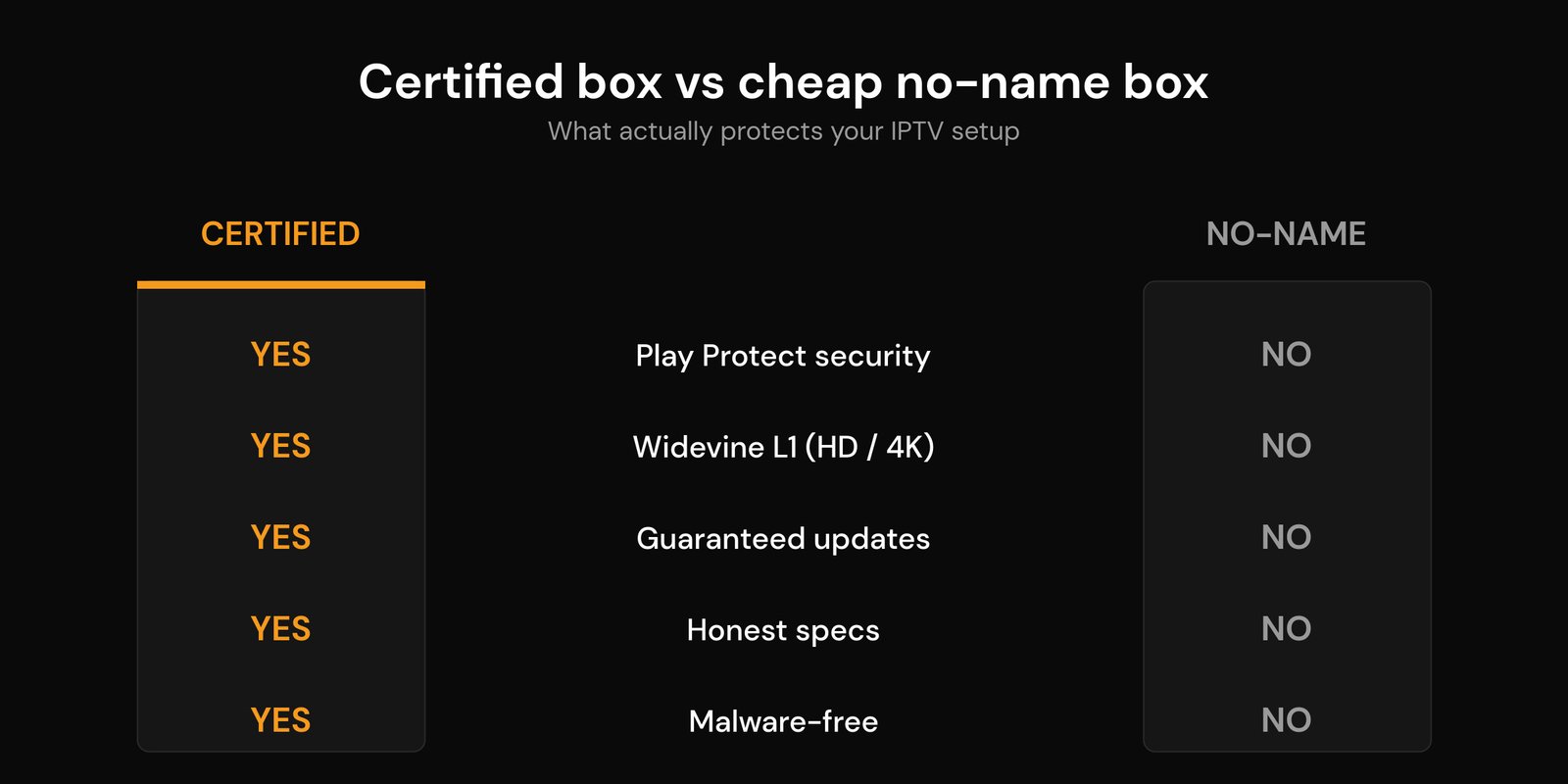
This is the part most roundups skip, and it is the most important. Search any marketplace for “Android TV box” and you will find dozens of models for $30 to $50 boasting 8GB of RAM and 8K playback. Those numbers are usually fiction, and the real problem is what comes preinstalled.
In June 2025 the FBI’s Internet Crime Complaint Center warned that more than a million home internet-connected devices had been infected with malware known as BadBox 2.0 — much of it loaded onto cheap, uncertified Android boxes before they ever reached a customer. Security researchers first found the original BadBox in 2023 on generic boxes like the T95, and it has since turned up on models sold under names such as X96 and TV98. An infected box quietly joins a botnet, routing strangers’ traffic through your home connection and slowing everything down, including your streams.
Here is how to tell a junk box from a real one before you buy:
| Red flag | What it really means |
|---|---|
| Not Play Protect certified | The box never passed Google’s security checks. This is the biggest single warning sign. |
| Asks you to switch off Play Protect | It wants to disable the one tool that would flag its own malware. |
| Sold as “fully loaded”, “unlocked”, or promising free content | These boxes lean on preinstalled junk apps and are exactly the ones researchers keep finding compromised. |
| Unknown brand, huge specs, tiny price | Real 4GB, certified boxes cost more than $35. If the spec sheet looks too good, it is invented. |
If you already have one of these boxes, it is worth reading whether an IPTV box can spy on you and what to watch for. Do not expect an antivirus app to rescue it, either: malware baked into the firmware sits below anything a store app can clean, which is why our guide to antivirus on streaming devices treats a certified box as the real fix. The short version: spend a little more on a certified box and this entire category of problem disappears.
Android TV box vs Firestick vs Smart TV
An Android TV box is not the only way to watch IPTV, and it is not always the right one. If your Samsung or LG Smart TV is recent and quick, you may not need any extra hardware at all. A streaming stick like a Firestick is cheaper and simpler, and our Firestick IPTV install guide covers that route. Where a dedicated box earns its keep is power and connectivity: more RAM for big channel lists, more storage for multiple players, and — on the Shield and Onn Pro — a wired Ethernet port that a stick simply cannot offer. If your Smart TV app is sluggish or your stick keeps running out of memory, a certified box is the upgrade that fixes it.
How to set up IPTV on your Android TV box
Once you have a good box, the setup is quick. The short version:
| Step | What to do |
|---|---|
| 1. Connect and update | Plug in (Ethernet if you can), sign in with a Google account, and let it install pending system updates. |
| 2. Install a player | Add a trusted IPTV player from the store, or sideload one. Not sure what that means? See what an IPTV app is. |
| 3. Add your service | Enter your M3U link or Xtream Codes login from your provider, then load the guide. Our full IPTV setup guide walks through it on any device. |
| 4. Tune the network | If streams stutter, check your Wi-Fi settings and DNS, and read our fixes for buffering at peak hours. |
Frequently asked questions
What is the best Android TV box for IPTV in 2026?
For most people it is the Google TV Streamer (4K): 4GB of RAM, official support, and a smooth interface for around $100. If you want the best performance, the NVIDIA Shield TV Pro is still the top box. On a budget, the Walmart Onn 4K Pro delivers certified Google TV and an Ethernet port for under $60.
Do you really need an Android TV box for IPTV?
Not always. If your Smart TV or streaming stick already runs your IPTV player smoothly, you can skip a box. A dedicated box helps when your TV app is slow, when you keep running out of storage, or when you want a wired Ethernet connection for rock-steady playback.
Are cheap Android TV boxes safe for IPTV?
Often not. Many uncertified $30–$50 boxes ship with preinstalled malware, which is what the FBI’s 2025 BadBox warning was about. Their advertised specs are also frequently fake. Stick to a Google-certified box and you avoid the whole problem.
Which Android TV box is best for 4K IPTV?
Any of the four certified picks, because all of them decode HEVC (H.265) 4K in hardware. For the steadiest 4K live channels choose one with an Ethernet port – the NVIDIA Shield TV Pro or the Onn 4K Pro – since sustained bandwidth matters more than the box once the codec is handled.
Do I need Widevine L1 on my box for IPTV?
Not for standard IPTV streams, which are not DRM-protected. Widevine L1 only matters for the premium on-demand apps you might run alongside IPTV, where it unlocks HD and 4K. Every certified box on this list already has L1, so it is not something you need to hunt for.
Android TV box or Firestick for IPTV?
Both work well. A Firestick is cheaper and simpler; an Android TV box gives you more RAM, more storage, and often an Ethernet port for a steadier stream. Our MAG box vs Firestick vs Android TV box guide compares them side by side.






