Skip to content
MAG Box vs Firestick vs Android TV Box: Which Is Best for IPTV?
Short answer: for most people a Firestick 4K Max is the best place to start with IPTV — it is cheap, easy, and streams 4K well. Pick an Android TV box if you want maximum power and every app on one device, and a MAG box if you want a stripped-down, IPTV-only player that just loads your portal and never gets in the way. The right choice comes down to three things: how much you want to tinker, how many other apps you need, and how stable your network is.
I have set up IPTV on all three over the years, and the differences that actually matter day to day are not the ones the spec sheets shout about. Below is the honest comparison, plus a quick way to decide.
The 30-second comparison
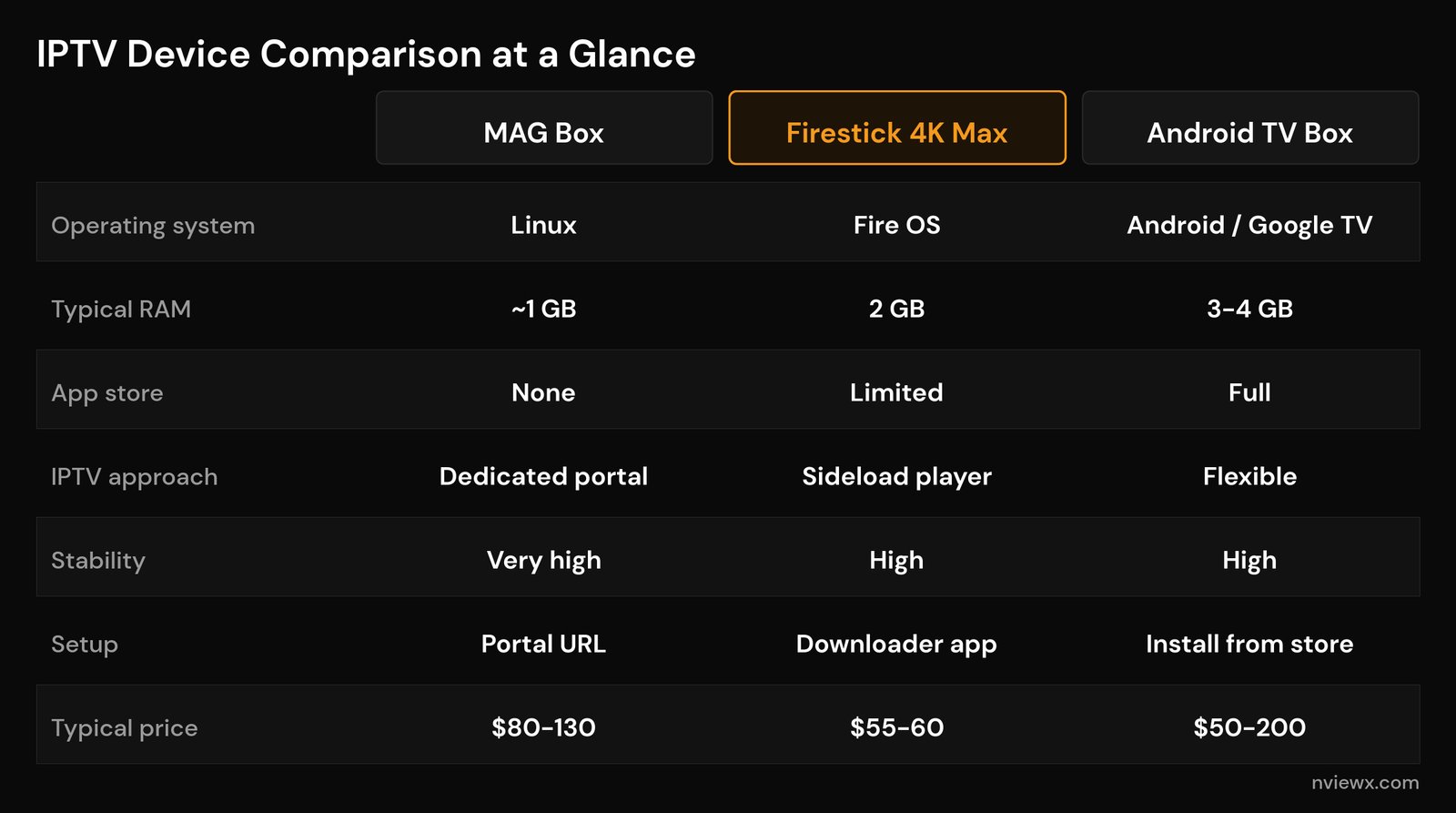
Here is how the three device types stack up for IPTV. Prices are typical street prices in 2026 and will vary by model and region.
| What matters | MAG Box | Firestick 4K Max | Android TV Box |
|---|---|---|---|
| Operating system | Linux (portal-based) | Fire OS (Android fork) | Android TV / Google TV |
| Typical RAM | ~1 GB | 2 GB | 3–4 GB |
| App choice | IPTV portal only | Large store + sideloading | Full app freedom |
| How you watch IPTV | Enter a portal URL | Sideload a player app | Install a player from the store |
| Wired Ethernet | Yes (most models) | Adapter needed | Yes (most boxes) |
| Best for | IPTV-only households | Beginners on a budget | Power users and tinkerers |
| Typical price | $80–130 | $55–60 | $50–200 |
The Firestick: cheapest and simplest
The Fire TV Stick 4K Max is the device most people already own or can grab for around $55. It plugs into an HDMI port, runs Fire OS (Amazon’s fork of Android), and the 2nd-gen model carries a quad-core 2 GHz chip, 2 GB of RAM, 16 GB of storage, Wi-Fi 6E, and 4K with HDR. For a stick that costs less than a month of cable, that is a lot. You can read the full lineup on the Amazon Fire TV reference page.
The one quirk: most IPTV player apps are not in the Fire OS store, so you install them with the Downloader app — a process called sideloading. It sounds technical but takes about five minutes, and we walk through it step by step in our guide to installing IPTV on a Firestick.
Where the Firestick shows its limits is heavy use. With only 2 GB of RAM, the interface can feel sluggish if you have a stack of apps installed, and the cheapest models throttle under load. If your player crashes or stutters, clearing the cache and keeping storage free usually fixes it. For pure IPTV on a budget, though, it is hard to beat.
Android TV boxes: the most flexible
An Android TV box (or Google TV box) is a small set-top box running a near-full version of Android. That means real app freedom: install any player from the store, run several side by side, add a file browser, a VPN, even games. RAM usually starts at 3 GB and climbs to 4 GB on better models, which is the sweet spot for a smooth TV guide (EPG) that does not stutter when you scroll. The platform itself is documented on the Android TV reference page.
The range is huge. At the premium end, the NVIDIA Shield Pro pairs a Tegra X1+ chip with 3 GB of RAM, gigabit Ethernet, and AI upscaling that sharpens lower-resolution streams — it has been the performance benchmark for years, at around $200. Dedicated IPTV-focused boxes like the Formuler line ship with 4 GB of RAM, 32 GB of storage, gigabit Ethernet, Wi-Fi 6, and a built-in launcher tuned for live TV. And budget boxes can be had for $50.
The catch: more power means more to manage. Cheap, no-name Android boxes are a minefield — underpowered, bloated with junk, and sometimes shipped with sketchy software. Buy a known brand. If you want one device that does IPTV and everything else, an Android box is the most versatile pick, and it slots neatly into our broader IPTV setup guide.
MAG boxes: built for one job
A MAG box (from Infomir) is the odd one out: it runs Linux, not Android, and it exists to do exactly one thing — play IPTV from a portal. There is no app store, no streaming apps, no games. You enter a portal URL, and the box loads your channel list and guide. That is the whole experience. If you want to understand the category in general, see our explainer on what an IPTV box actually is.
That single-mindedness is the appeal. A MAG box has nothing running in the background to eat memory, so it tends to be extremely stable for live TV — the kind of “set it and forget it” device you hand to a less tech-savvy relative. The interface is plain and fast, and most models have a wired Ethernet port, which matters more for smooth streaming than raw horsepower. MAG boxes are a classic example of a purpose-built set-top box.
The downsides are the flip side of the strengths. No apps means no on-demand libraries, no browser, nothing beyond IPTV. The hardware is modest, the up-front price ($80–130) is higher than a Firestick, and not every provider supports the portal format MAG boxes use — check before you buy.
Which one should you buy?
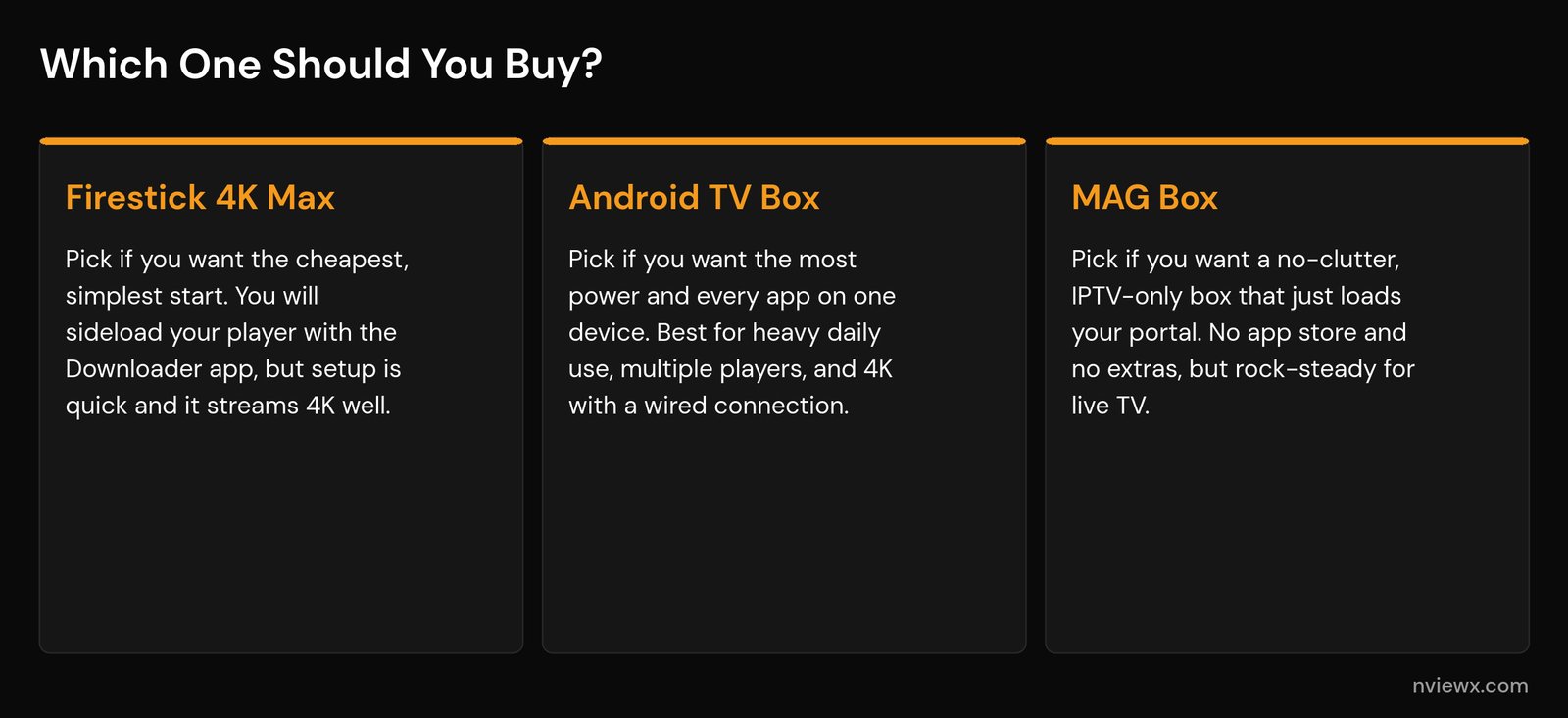
Strip away the spec wars and it comes down to a few honest questions:
Want the cheapest, easiest start? Get a Firestick 4K Max. You will sideload your player once, and then it just works. Perfect if IPTV is new to you or you do not want to spend much.
Want one powerful device for everything? Get a known-brand Android TV box. More RAM, full app freedom, gigabit Ethernet, and room to run multiple IPTV player apps and on-demand services side by side. Best for daily heavy use and 4K.
Want a no-fuss, IPTV-only box? Get a MAG box — as long as your provider supports the portal format. Nothing to tinker with, nothing to crash, just live TV.
One thing no device fixes: a weak network. If streams buffer at night or freeze during big events, the hardware is rarely the culprit. Wire the device with Ethernet where you can, and make sure you have enough internet speed for IPTV and the right Wi-Fi settings. If buffering persists, our guide to fixing IPTV buffering walks through the usual causes.
Does the device affect picture quality and stability?
Up to a point. Any of these devices can stream HD, and most current models handle 4K. What the better hardware buys you is headroom: a snappier guide, faster channel switching, and fewer stalls when something heavy is running in the background. A 4 GB Android box will feel smoother scrolling a long EPG than a 2 GB stick.
But picture quality and smoothness are decided far more by your connection and your provider than by the box. A wired connection beats Wi-Fi for live TV every time, and a stable provider beats a cheap one with overloaded servers. If you are still choosing a service, our guide on picking a reliable IPTV provider is the place to start. And if you hit cryptic playback errors, see our breakdown of IPTV error codes and DNS issues.
Frequently asked questions
Is a MAG box better than a Firestick for IPTV?
For pure stability on live TV, a MAG box has an edge because it runs nothing but IPTV — there are no background apps to slow it down. But a Firestick is cheaper, far more flexible, and good enough for most people. Choose a MAG box only if you want an IPTV-only device and your provider supports the portal format.
Do I need an Android TV box if I already have a Firestick?
Not unless the Firestick is struggling. If your guide stutters, apps crash, or you want to run several players plus on-demand services at once, the extra RAM and app freedom of an Android box is a real upgrade. If your Firestick handles your channels smoothly, save your money.
How much RAM do I need for IPTV?
2 GB is the realistic floor and works fine for a single player. 3 GB to 4 GB is the sweet spot if you run a full TV guide (EPG), multiple apps, or want the interface to stay snappy over time.
Will a better box stop my IPTV buffering?
Usually not. Buffering is almost always a network or provider problem, not a device one. Connect by Ethernet, confirm your internet speed, and test a different time of day before blaming the hardware. Upgrading the box only helps if the old one was clearly overloaded.
Can I use any IPTV provider on these devices?
Firesticks and Android boxes work with virtually any provider through standard player apps using an M3U link or Xtream Codes login. MAG boxes are pickier — they need a provider that supports the MAG portal format, so confirm compatibility before buying one.