Skip to content
Is IPTV Safe? The Real Risks and How to Avoid Them (2026)
Is IPTV safe? The technology is: an IPTV stream is ordinary video delivered over the internet, no more dangerous than any other kind of streaming. The IPTV risks live around the stream — the fake apps, scam sellers, and sloppy data handling that ride along with cheap or shady services. Avoid them and the rest is easy: install apps only from official stores, pay with a method you can reverse, share as little personal data as possible, run a VPN, and stick to properly licensed providers. That’s the whole guide in one breath. Below, each risk gets unpacked with the specific red flags and the fix that actually works.
I’ve set up IPTV on a Firestick, an Android box, and a Smart TV, and the pattern is always the same: the trouble starts the moment you cut a corner — a “99% off lifetime” deal, an APK from a random link, a seller who only takes gift cards. None of those are about streaming quality. They’re about who you’re trusting with your device and your card.
Is IPTV safe? It depends on five layers, not one
“Is IPTV safe” is really five questions stacked on top of each other, and a service can pass four of them and still burn you on the fifth. Here is how each layer scores on its own.
| Layer | Safe when | Unsafe when | What it can cost you |
|---|---|---|---|
| The stream itself | Always – it is video over IP, the same plumbing licensed TV operators use | Never on its own | Nothing |
| The app | Installed from an official store; asks only for network and storage | Sideloaded from a link; asks you to switch off a protection | Passwords, card details, control of the device |
| The device | Mainstream, certified hardware that still gets updates | No-name box sold “fully loaded” | A compromised home network |
| The seller | Verifiable company, short trial, clear terms | “Lifetime” price; contact only through a messaging app | Whatever you prepaid |
| The payment | Card or a buyer-protected method | Gift cards, crypto, bank wire | Money you cannot get back |
Read it top to bottom and the pattern jumps out: the first row is the one people ask about, and it is the only one that is never the problem. When someone says IPTV “got them hacked”, the cause sat in row two or three. When someone lost money, it was row four or five. If your question is narrower than this page, there is a dedicated answer for each: can you get hacked from IPTV, are IPTV apps safe, and is free IPTV safe.
The real IPTV risks, at a glance
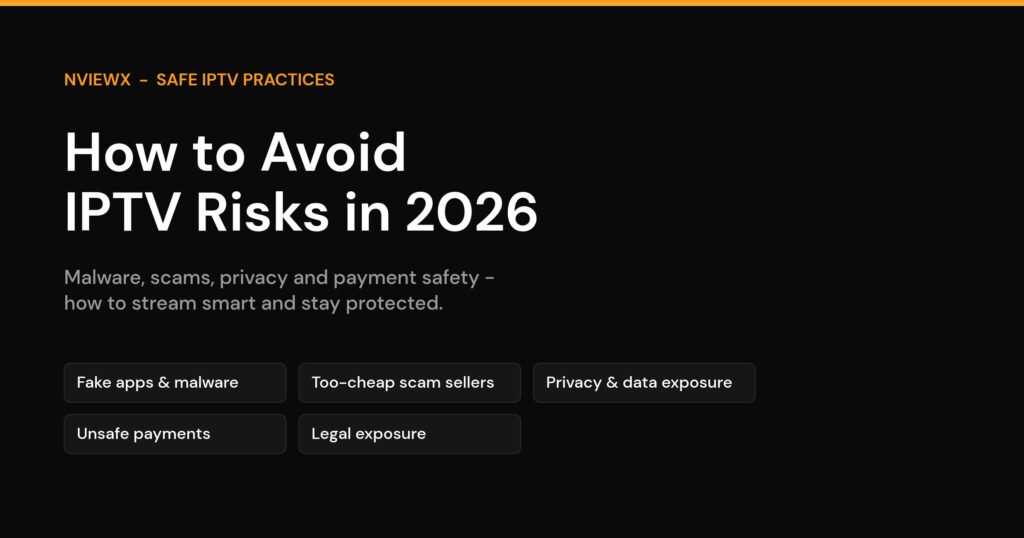
Strip away the scare headlines and IPTV risk falls into five buckets. Most people only worry about the legal one and ignore the four that are far more likely to actually cost them money.
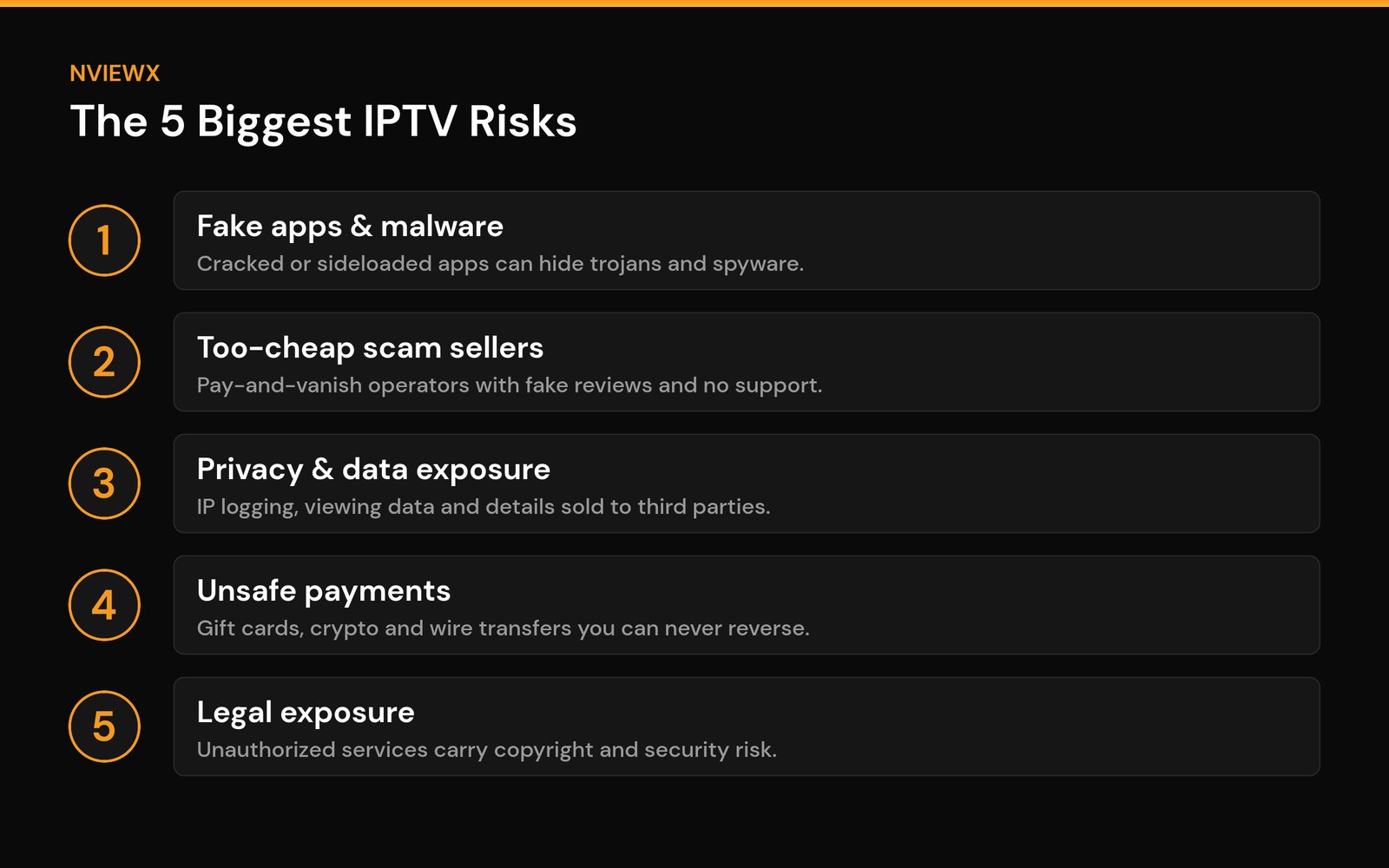
- Fake apps and malware — the most common and the most damaging.
- Scam sellers — pay, get nothing (or get cut off in a week).
- Privacy and data exposure — your IP, email, and viewing habits leaking out.
- Unsafe payments — methods designed so you can’t claw the money back.
- Legal and security exposure from unauthorized services.
The good news: the same handful of habits defuses nearly all of them. Let’s go bucket by bucket.
Unsafe apps and malware: the number-one threat
This is where most real harm happens. Through 2026, security researchers have repeatedly found fake streaming apps — often distributed as sideloaded APKs or pre-loaded on cheap no-name Android boxes — carrying malware that can log keystrokes, steal banking credentials, and quietly take remote control of the device. Some strains are rebuilt from leaked Android banking-trojan code, so they go straight for your money.
The tells are consistent. The app isn’t in an official store. The install page tells you to enable “Unknown sources” or disable a security setting. The box was suspiciously cheap and came “fully loaded.” Any one of those should stop you.
How to avoid it: install player apps only from official stores — the Amazon Appstore on Firestick, Google Play on Android TV, the App Store on Apple TV. Use mainstream hardware (Firestick, Android TV, Apple TV, a Smart TV’s built-in store) rather than a generic box from a marketplace listing. Keep the device’s OS and apps updated so known holes are patched. And never disable your device’s security to make an app run — a legitimate player never asks for that.
Do you need antivirus on top of that? On a Firestick or Android TV device that only runs store apps, usually not – the store’s own scanning does most of the work. It earns its place on a box that has ever had sideloaded apps on it. Our guide to antivirus for Firestick covers when it actually helps and which permissions to check instead.
Too-cheap and scam sellers: if it’s that cheap, you’re the product
A “lifetime subscription for $15” is not a bargain; it’s a countdown timer. The economics don’t work for a legitimate service, so the operator is either going to vanish with your money, churn through cards, or monetize you some other way. Scam sellers are good at looking real — fake review sites, polished social accounts, a chat widget that answers for the first day and goes dark after you pay.
How to avoid it: be skeptical of prices far below the market and of “lifetime” anything. Look for an actual company presence, real terms, and reviews you can corroborate off the seller’s own site. Test with a short paid trial before committing to a long plan, and never pay a year up front to a provider you can’t verify. If support pressures you to buy fast or only over a messaging app, walk away.
Privacy and data exposure: who’s logging you
When you sign up, you often hand over an email, a payment detail, and — just by connecting — your IP address. Shady operators don’t necessarily protect any of it. Some log IP addresses and viewing activity and sell that data on; others store credentials carelessly and end up breached. Once your details are in a broker’s database, the spam, phishing, and credential-stuffing attempts follow.
How to avoid it: share the minimum — a dedicated email, no more personal info than necessary. Run a VPN to mask your IP and encrypt the connection, so neither the provider nor your network can build a profile of what you watch. Use a unique password for every IPTV account (a password manager makes this painless) so one breach doesn’t unlock the rest of your logins. And read what an app asks for — a video player has no reason to want your contacts or SMS.
If children use the same TV, the bigger issue is often what they can reach rather than what the provider logs. Most players let you hide whole categories and lock them behind a PIN; our guide to IPTV parental controls walks through it player by player.
Payment safety: only pay with money you can get back
This single rule prevents most financial losses. Scam-friendly sellers steer you toward gift cards, cryptocurrency, or bank wires precisely because those are effectively irreversible — once it’s sent, it’s gone. Watch too for an unencrypted checkout page (no padlock, no https) and for “activation” or “setup” fees that quietly inflate the real price after you’ve committed.
How to avoid it: pay with a credit card or a buyer-protected service like PayPal, where you can dispute a charge if the service never materializes. Refuse gift cards, crypto, and wire transfers for any IPTV purchase — the demand for them is itself a red flag. Confirm the payment page is on a secure (HTTPS) connection before entering card details, and screenshot the offer and terms in case you need to contest a charge later. If you do get scammed, report it (in the US, the FTC at reportfraud.ftc.gov and the FBI’s IC3).
Subscription risks nobody mentions until they happen
Even with a decent provider, the subscription itself carries three risks that have nothing to do with malware – and they explain most of the “IPTV subscription risks” people search for after the fact.
The provider disappears. IPTV services go dark more often than people expect, and a twelve-month prepayment is exactly the amount you stand to lose. Pay monthly until a service has survived a few months with you, and learn to tell a temporary outage from a dead service with our guide to an IPTV provider being down.
Auto-renew you forgot about. A card on file renews quietly, sometimes at a higher price than the promotion you signed up for. Put the renewal date in your calendar the day you subscribe, and if you leave, follow the steps to cancel an IPTV subscription properly so the charges actually stop.
Your login leaks. IPTV logins work like a key: anyone holding your username and password, or your playlist URL, can stream as you until the provider cuts the line for too many connections. Never paste them into a “checker” website, and don’t drop the playlist link into a group chat.
Staying on the legal side
Unauthorized IPTV services — the ones reselling premium channels and live sports they have no rights to — are the category that draws enforcement, and they’re also the ones most likely to be riddled with the security problems above. The two go together: an operator willing to break copyright law isn’t going to sweat your data security either.
Staying legal is mostly about choosing a properly licensed provider — a service that pays for the content it carries and can tell you, plainly, what it’s licensed to show. Legitimate providers don’t advertise “every channel on earth for a few dollars,” don’t hide behind disposable domains, and aren’t constantly going offline. If a deal only makes sense assuming the content is pirated, that’s your answer.
For more on picking a service that’s above board, see our guides on how to get a legal IPTV service and what an IPTV service actually is.
Note: This article is general information, not legal advice. IPTV laws and how they’re enforced vary widely by country and change over time — check the rules where you live, and when in doubt, choose a clearly licensed provider.
A five-minute safety check before you pay
- Find the player app in your device’s official store before you buy anything. If the seller’s instructions start with “enable unknown sources”, stop there.
- Search the seller’s name plus “reviews” and only trust results that are not on the seller’s own site.
- Look at the checkout page: HTTPS, a card or buyer-protected option, and no gift-card-only payment.
- Buy the shortest plan on offer – ideally a paid trial – and put the renewal date in your calendar.
- Use a fresh email and a password you use nowhere else for the account.
Five minutes, no tools. If a service fails any single step, the price was never the bargain it looked like. Our checklist for spotting a fake IPTV service is the longer version.
Risk and fix at a glance
Keep this handy when you’re evaluating any service or app.
| Risk | Red flag | How to avoid it |
|---|---|---|
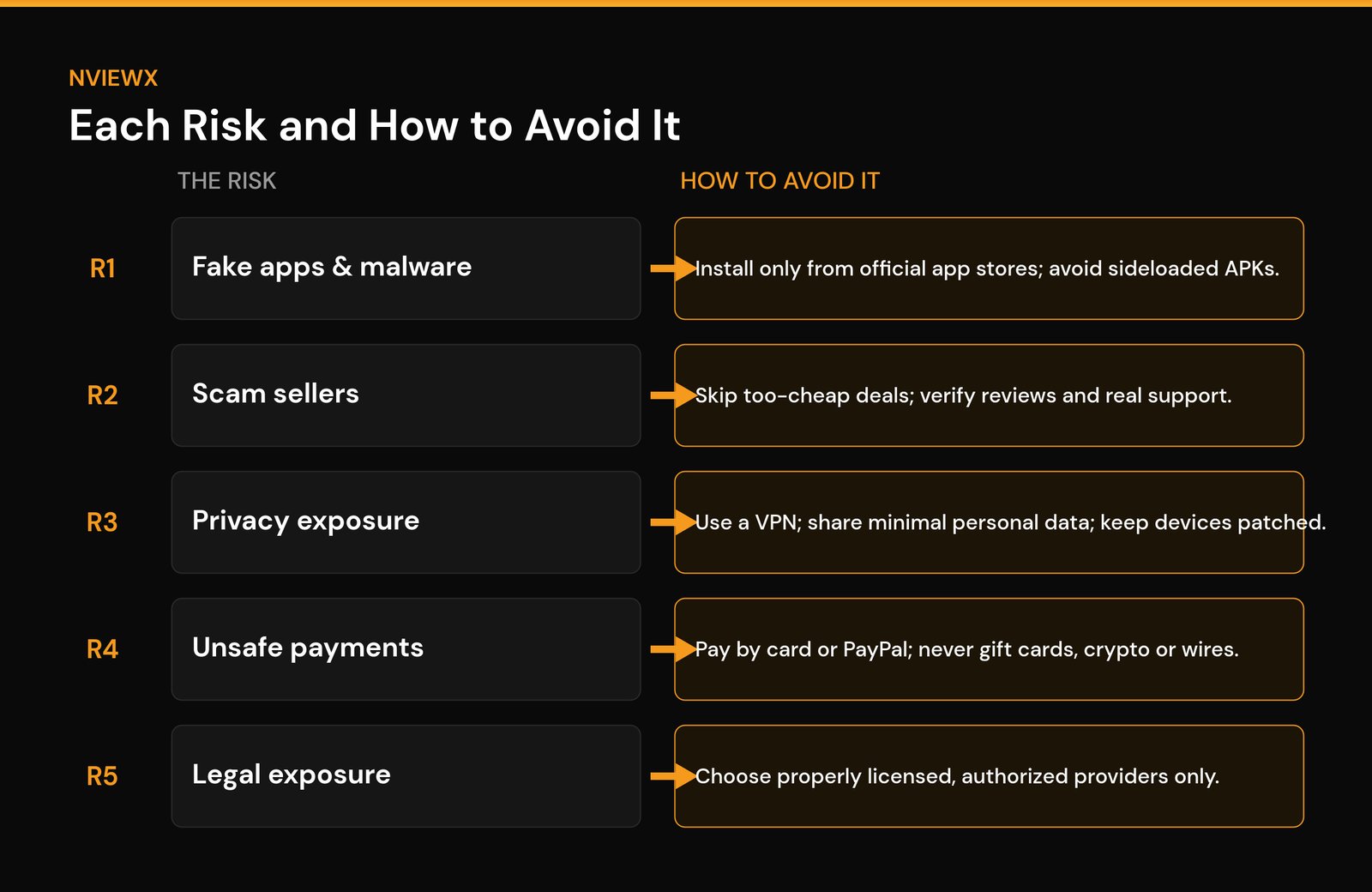
| Fake apps & malware | Sideloaded APK; “enable unknown sources”; pre-loaded cheap box | Install only from official stores; use mainstream hardware; keep devices updated |
| Scam sellers | “Lifetime” deals; prices far below market; pressure to buy fast | Verify the company and reviews; test a short trial; don’t prepay a year |
| Privacy & data exposure | App wants odd permissions; vague or missing privacy terms | Use a VPN; share minimal data; unique passwords; review permissions |
| Unsafe payments | Gift cards / crypto / wire only; no HTTPS; surprise fees | Pay by card or PayPal; require HTTPS; keep records of the offer |
| Legal & security exposure | “All channels” for a few dollars; disposable domains; frequent outages | Choose a properly licensed provider; check local laws |
Set things up the safe way
Once you’ve picked a legitimate provider and a trusted device, the rest is straightforward. Our walkthroughs cover the safe setup path: how to set up IPTV the right way, installing IPTV on a Firestick using official apps, and what Xtream Codes are so you know exactly what details a real service hands you (and which it never should).
At Nviewx we focus on the safe, above-board way to stream — official apps, licensed providers, and settings that protect your privacy. If you stick to the five habits above, you’ve eliminated the vast majority of IPTV risk.
Frequently asked questions about IPTV risks
Are IPTV subscriptions risky?
The subscription carries its own three risks: the provider vanishing with your prepayment, auto-renewals you forgot about, and a leaked login that someone else streams on. Pay monthly at first, note the renewal date, and keep your credentials private.
Is IPTV safe to use?
IPTV is just a delivery technology — it’s as safe as the app, device, and provider you choose. A licensed service through an official app on mainstream hardware is safe. The risk comes from cracked apps, no-name boxes, and unverified sellers, not from IPTV itself.
What is the biggest IPTV risk?
Malware from fake apps and pre-loaded cheap boxes. It’s the most common cause of real damage — stolen credentials, drained accounts, hijacked devices — and it’s entirely avoidable by installing only from official stores and using trusted hardware.
Does a VPN make IPTV safe?
A VPN helps with privacy — it masks your IP and encrypts your connection so your provider and network can’t profile your viewing. But it does nothing against malware in a bad app or a seller who steals your money. Treat a VPN as one layer, not the whole defense.
How do I spot an IPTV scam seller?
Watch for prices far below the market, “lifetime” subscriptions, pressure to pay fast, gift-card or crypto-only payment, no verifiable company details, and reviews that only exist on the seller’s own pages. Any two of those together is enough to walk away.
Which payment method is safest for IPTV?
A credit card or a buyer-protected service like PayPal, because you can dispute the charge if the service never delivers. Avoid gift cards, cryptocurrency, and bank wires — they’re effectively irreversible, which is exactly why scammers ask for them.
Can using IPTV expose my personal data?
It can, if the provider logs your IP and viewing activity or stores your details carelessly. Limit what you share, use a dedicated email and a unique password, run a VPN, and check what permissions an app requests before installing it.
Is it illegal to use IPTV?
Using a properly licensed IPTV service is legal. Using an unauthorized service that streams content without rights can break copyright law, and enforcement varies by country. This isn’t legal advice — check your local rules and choose a licensed provider when in doubt.