Skip to content
What Are Xtream Codes? IPTV Login Steps Explained (2026)
Updated August 2026
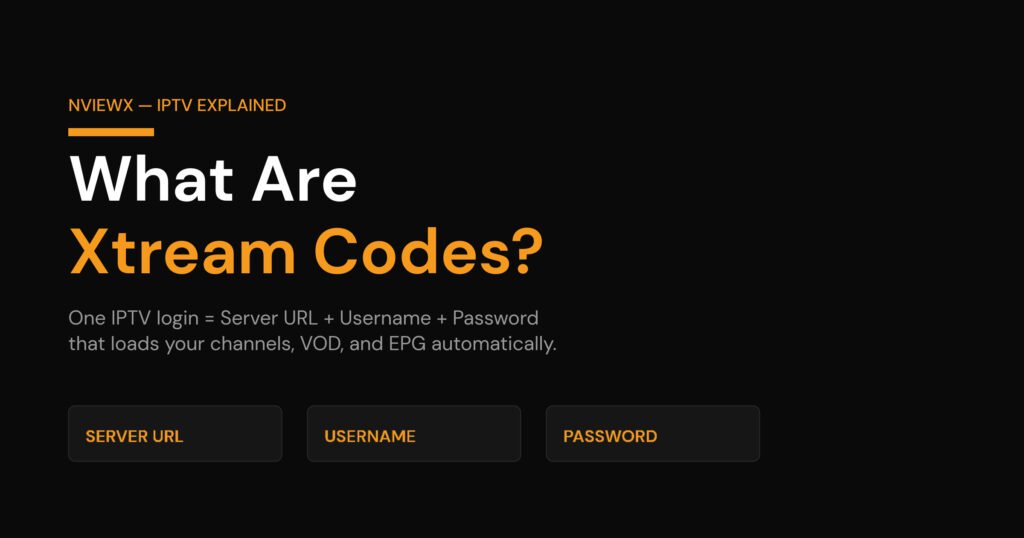
Xtream Codes is a single IPTV login made of three things: a server URL, a username, and a password. You type those three values into a player app once, and it pulls in your channels, on-demand movies and series, and the TV guide (EPG) automatically. No file to download, no list to import by hand.
If you have ever subscribed to an IPTV service and been handed a short message with a web address and two random-looking strings, that’s an Xtream Codes login. It’s not a brand of TV and it’s not a channel — it’s the connection method most providers and apps standardised on. Below I break down exactly what each field does, where the login comes from, how it differs from an M3U link, how to add it in the popular player apps, whether it’s legal, and the handful of errors that trip almost everyone up at least once.
What “Xtream Codes” actually means
The name comes from a piece of IPTV management software that became the de-facto standard for how providers hand out access. The software itself is history now, but the login format it created stuck around and is supported almost everywhere. When people say “Xtream Codes,” they really mean the Xtream Codes API login — a way for an app to authenticate with your provider’s server and ask for your content in a tidy, structured way.
Think of it like the difference between getting a printed list of every phone number in a building versus being given a receptionist’s direct line. The M3U playlist is the printed list. Xtream Codes is the receptionist: you ask, and it hands back exactly the channels, the movie library, the series folders, and the schedule — already sorted.
The three Xtream Codes credentials, explained
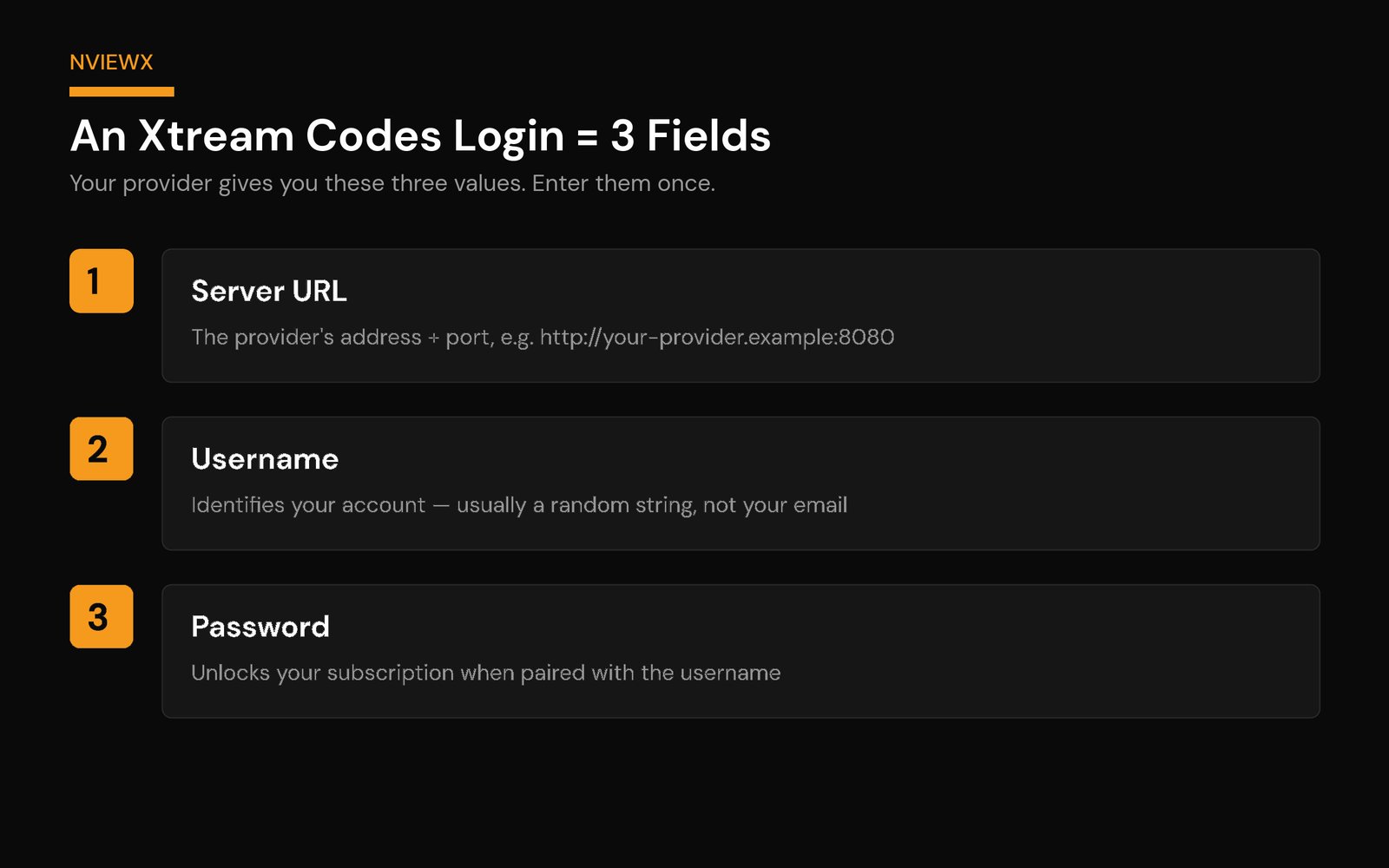
Every Xtream Codes login is built from exactly three values your provider sends you. Get one character wrong and nothing works, so it’s worth understanding each:
- Server URL (or “host” / “portal”): the address of your provider’s server, almost always with a port number on the end — something like
http://your-provider.example:8080. The:8080part is the port; leave it in. Some providers usehttp, some usehttps— match exactly what they gave you. - Username: identifies your specific account. It’s usually a random string of letters and numbers, not your email or a name you chose. Case matters.
- Password: paired with the username, it unlocks your subscription. Also random, also case-sensitive.
One detail people miss: the server URL is just the base address. Don’t paste a full M3U link (the long one ending in get.php?username=...&password=...&type=m3u_plus) into the server-URL box. For an Xtream Codes login the app wants the host on its own, and it adds the rest behind the scenes.
How an Xtream Codes login works
When you save those three fields, the app makes one authenticated call to the server’s API. In a single handshake the server returns everything: the live channel list (grouped into categories), the VOD library, the series section, and the EPG data that fills the now/next guide. The app caches it and refreshes on a schedule.
That “one call returns everything, already organised” behaviour is the whole appeal. With a plain playlist the app receives one long text file and has to parse it line by line, and the guide is a separate job entirely. With Xtream Codes the structure arrives ready-made, which is why channel lists tend to load faster and the categories look neater.
If you’re new to the wider topic, our explainer on what an IPTV service is covers the basics of how live TV gets delivered over the internet in the first place.
How to log in with Xtream Codes (step by step)
Logging in takes under a minute. In any player that supports the Xtream Codes API you enter three things once, and the app pulls in everything else:
- Open your player and choose “Add playlist” or “Add user,” then pick Login with Xtream Codes API (some apps label it “Xtream Login” or simply “Xtream Codes”).
- Give the profile a name – anything you like, such as “Living Room.” It is only a label.
- Enter the server URL exactly as your provider sent it, including the
http://and the port number. - Enter your username, then your password, watching capital letters – both fields are case-sensitive.
- Save. The app makes a single call and loads your live channels, VOD, series and EPG. If nothing shows up, re-check the port and confirm your subscription is active.
What your Xtream Codes server URL looks like
The server URL is just the base address of your provider’s server – not the long M3U link. It follows this pattern:
http://your-provider-host:port – for example http://line.example-host.tv:8080
You put that base URL in the server field, and your username and password in their own separate fields. The app joins them behind the scenes, so you never paste the username and password into the URL yourself. If your provider handed you a link that already ends in get.php?username=…&password=…, that is the M3U version – for an Xtream login you only need the part before /get.php.
Where your Xtream Codes come from (you can’t make your own)
This trips up a lot of newcomers, so let me be blunt: you don’t generate Xtream Codes yourself, and there’s no legitimate app or website that hands out working ones. The three values come from one place only — the provider you subscribe to. When you sign up, they email or message you a server URL, a username, and a password tied to your plan. Lose them and the fix is the same every time: contact the provider and ask them to resend your login.
You’ll sometimes see a search box or forum thread promising a “free Xtream Codes” list or a code generator. Skip them. Those are almost always recycled or stolen credentials from someone else’s paid account — they stop working within hours, and using them carries real downsides I’ll cover in a moment.
Xtream Codes vs M3U: the real comparison
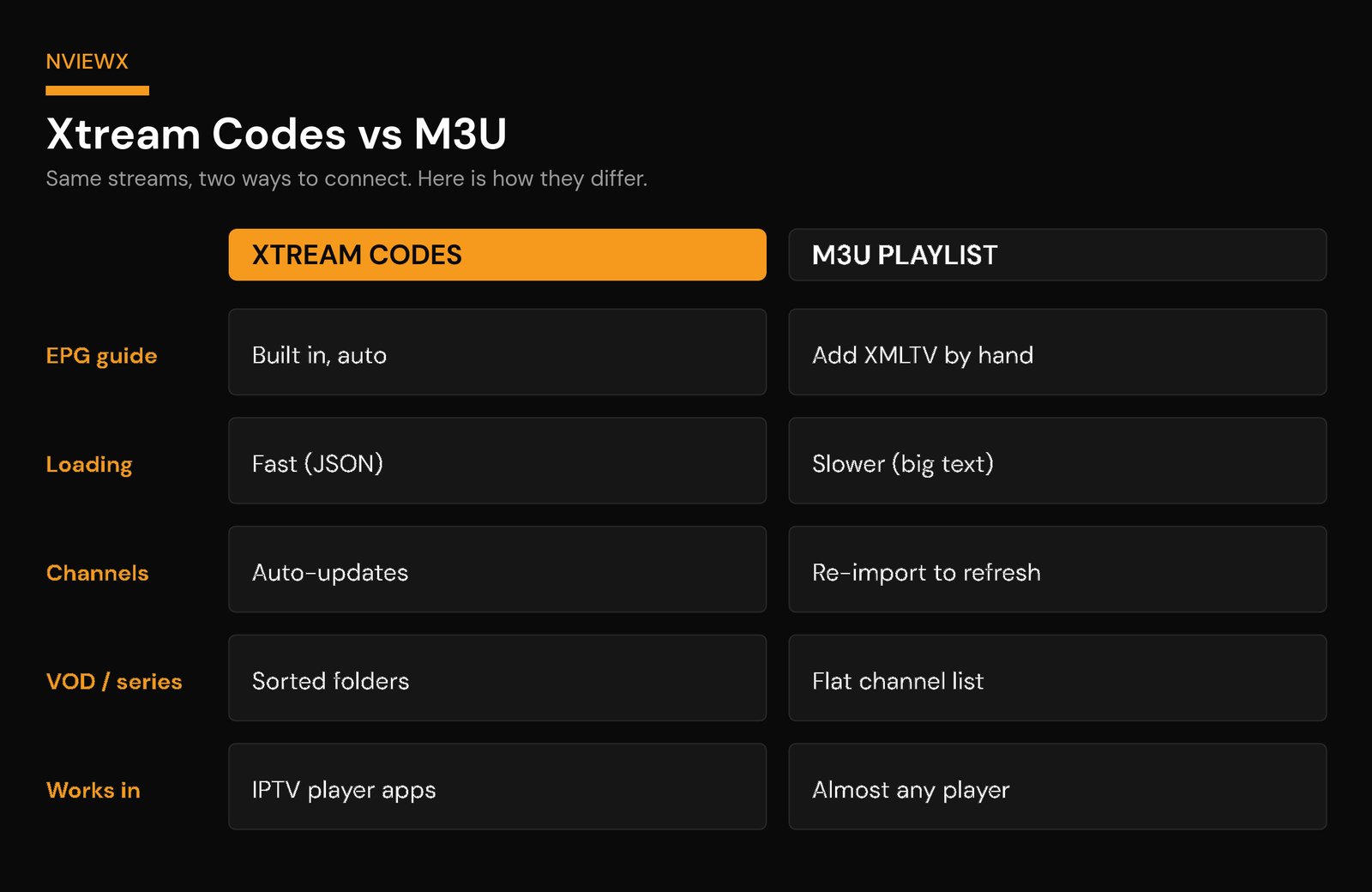
Both connect you to the same streams on the same server — the difference is how the app talks to that server and how much it has to do itself. An M3U playlist is a single link that returns a flat text file of channels. Xtream Codes is an API login that returns structured data plus the guide.
| What you care about | Xtream Codes API | M3U playlist |
|---|---|---|
| TV guide (EPG) | Pulled in automatically with the channels | You add a separate XMLTV link by hand |
| Channel list loading | Faster — structured data the app reads directly | Slower — one big text file parsed line by line |
| Updates & new channels | Appear automatically on refresh | Often need a manual re-import of the link |
| VOD & series | Sorted into proper folders/categories | Mixed into one long channel list |
| Where it works | Dedicated IPTV player apps | Almost anything — VLC, Kodi, most players |
| Best for | A clean, TV-like experience with a guide | Maximum compatibility across devices |
My rule of thumb: if your app supports Xtream Codes (most modern IPTV players do), use it. The auto-loaded guide and tidy categories alone are worth it. Keep the M3U link as a backup for devices like older media players that only understand a playlist. Our deeper guide on the IPTV EPG explains why a working guide makes such a difference day to day.
How to add Xtream Codes in popular player apps
The flow is nearly identical everywhere: find the “add playlist” or “login” screen, choose the Xtream Codes option (not M3U), and paste the three fields. Here’s the per-app detail.
TiviMate
Open the app, go to Settings → Playlists → Add playlist → Xtream Codes. Enter the server URL, username, and password, then give the playlist a name. TiviMate’s multi-channel guide grid is its standout feature, and Xtream Codes populates it automatically — no separate EPG setup needed. (The advanced grid features live in TiviMate Premium.)
IPTV Smarters / Smarters Player Lite
On the start screen choose “Login with Xtream Codes API.” Type any name, then the username, password, and server URL, and tap Add User. It builds Live, Movies, and Series tiles for you. Smarters Player Lite is the slimmed-down sibling and works the same way — handy when the full app isn’t available on your device.
XCIPTV
On launch, pick the Xtream Codes / Xtream Login tab (rather than the M3U/playlist tab), enter a profile name plus the three credentials, and log in. XCIPTV runs well on Android and Fire TV devices and handles catch-up TV when your provider offers it.
Whatever app you use, the principle is the same one we walk through in our full guide to setting up IPTV: pick Xtream Codes login, paste the three fields exactly, save.
The EPG: where the guide comes from
The EPG — Electronic Program Guide — is the now/next schedule you see beside each channel. With an Xtream Codes login the app requests EPG data on the same connection as your channels, so the guide simply appears. With a bare M3U link you’d have to find your provider’s XMLTV guide URL and paste it into the app’s EPG settings yourself.
If your guide is blank or shifted by a few hours, it’s almost always a time-zone or refresh issue rather than a broken login. Set the app’s EPG time-zone offset to match your region and force a guide refresh. The channels playing fine while the guide is empty is the giveaway that the stream login is correct and only the EPG needs attention.
Are Xtream Codes legal? And why “free Xtream Codes” are a trap
The short answer: the Xtream Codes login format is just technology — completely legal in itself, the same way a username-and-password box is legal. What matters is the provider behind it. A properly licensed service that pays for the content it carries is legitimate. An unlicensed one that resells streams it has no rights to is not, no matter how neat the login looks.
That distinction is exactly why “free Xtream Codes” are such a bad deal. A leaked or generated login isn’t a clever shortcut — it’s someone else’s paid account being passed around, and it costs you in four ways that a small monthly subscription doesn’t.
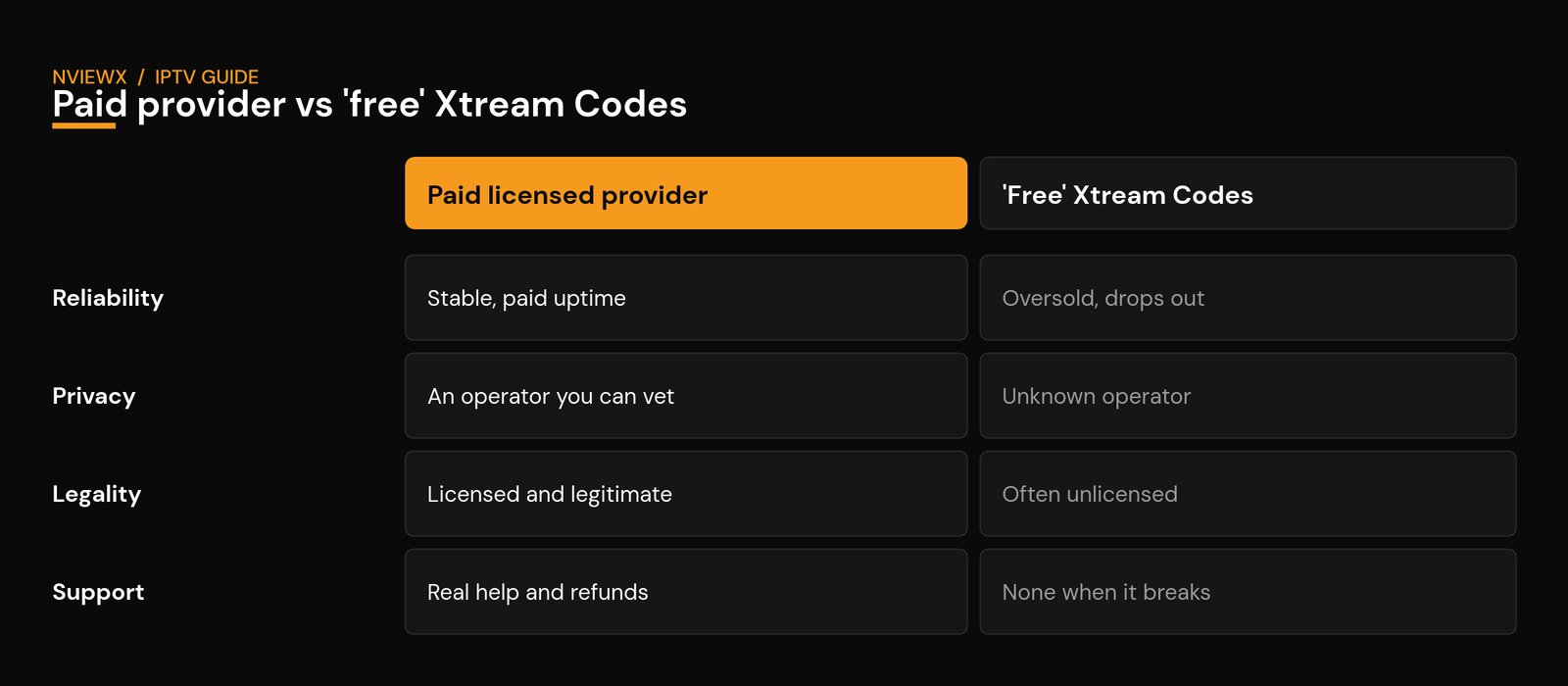
- Reliability: shared free logins are heavily oversold and get reset constantly. They buffer, drop mid-stream, and usually die within hours or days.
- Privacy: you’re routing your viewing through a server run by an anonymous operator with zero accountability. You have no idea what’s logged or who’s behind it.
- Legality: a free login almost always sits on an unlicensed service, which is the part that carries legal risk — the technology is fine, the unlicensed content is not.
- Support and money back: when a free code stops working, there’s no one to ask and nothing to refund. A real provider gives you support and a payment method you can dispute.
If you want to stay on the right side of the line, the test is simple: pick a provider you can actually contact, that takes a payment method with a dispute path. We walk through exactly how to vet one in our guide to getting a legal IPTV service, and the wider IPTV risks worth avoiding.
Common Xtream Codes errors (and how to fix them)
Most “Xtream Codes not working” problems fall into a few buckets. Work through them in order:
- “Login failed” / “invalid login details”: nine times out of ten this is a typo or a lapsed subscription. Re-type the username and password by hand (don’t trust autocomplete), respecting capitals. Confirm the server URL includes the port (the
:8080bit) and the righthttp/https. If it still fails, your plan may have expired — providers disable credentials the instant a subscription lapses, and the app shows the same generic error either way. - “Authorization failed” but the details are right: check your device’s date and time. If the clock is off by more than a few minutes, secure connections fail and the server rejects you. Turn on automatic date/time and restart the app. On a Fire TV that’s Settings → Device → Date & Time → Automatic.
- Logs in, but no channels appear: usually a category that’s hidden or still loading. Pull down to refresh, check whether a “hidden categories” toggle is on, or remove and re-add the profile. A flaky connection during the first load can also leave the list empty — try again on a stronger network.
- Worked yesterday, dead today: two common causes. Either the subscription expired (check the dashboard or message your provider), or your network is blocking the server — a VPN or your ISP’s DNS can interfere. Toggle the VPN off to test; if that fixes it, switch server locations. Our guide to IPTV error codes and DNS issues goes deeper on the network side.
- Buffering after login: that’s a streaming/bandwidth issue, not a credentials issue. A wired connection or the 5GHz band usually steadies it.
Quick takeaways
Xtream Codes is the easiest way to get an IPTV subscription running: three fields, one login, channels and guide loaded automatically. It beats a raw M3U link for the guide, speed, and tidy categories, while M3U wins on raw compatibility. You can’t make the codes yourself — they come from your provider — so steer clear of “free” lists, keep your credentials private, double-check the port and capitalisation when something fails, and check your device clock before you blame the provider.
Setting up a new service? Nviewx supports Xtream Codes login across all the major player apps, with the EPG and categories ready to go. See how Nviewx works →
Frequently asked questions
Is Xtream Codes the same as IPTV?
No. IPTV is the broad method of streaming TV over the internet. Xtream Codes is one specific way to log in to an IPTV service — a server URL plus a username and password — that an app uses to fetch your channels and guide.
Where do I get my Xtream Codes login?
Your IPTV provider issues all three values when you subscribe. They aren’t something you create or generate yourself; if you don’t have them, ask your provider to resend your server URL, username, and password.
Can I create my own Xtream Codes?
No. You can’t generate a working Xtream Codes login yourself — the credentials are issued by your provider’s server when you subscribe. Code “generators” don’t produce legitimate, lasting logins.
Are free Xtream Codes safe?
No. “Free” Xtream Codes are almost always leaked or stolen logins from paid accounts. They stop working fast, the server operator is anonymous and unaccountable, and routing your viewing through a stranger’s server is a privacy risk. A low-cost subscription from a provider you can vet is safer and far less hassle.
Is the server URL the same as the M3U link?
No. The server URL is just the base host and port (e.g. http://your-provider.example:8080). The M3U link is a longer URL that already contains your username and password. For an Xtream Codes login, enter only the base server URL — the app builds the rest.
Why does my Xtream Codes login keep failing?
Most often a typo (check capitals and the port number), an expired subscription, or a device clock that’s set wrong. Re-enter the credentials by hand, confirm your plan is active, and enable automatic date and time.
Can I use the same Xtream Codes on more than one device?
That depends on your provider’s connection limit, not on the format. Many subscriptions allow only one or two simultaneous streams; logging in on a third device can knock another offline or trigger an error. Check your plan’s allowed connections.
Which apps support Xtream Codes?
Most modern IPTV players — TiviMate, IPTV Smarters, Smarters Player Lite, XCIPTV, Perfect Player and others. Look for a “Login with Xtream Codes API” or “Xtream Login” option when you add a playlist.
Is using Xtream Codes legal?
The login format itself is just technology and is perfectly legal. Whether your viewing is legal depends entirely on the provider — a properly licensed service is fine; an unlicensed one isn’t. Choose a legitimate provider.