Skip to content
IPTV vs Cable: The Pros and Cons
Short version: in the IPTV vs cable debate, IPTV usually wins on price, flexibility, and how many devices it runs on, while cable still wins on one thing — it keeps working when your internet doesn’t. If you have a stable broadband line and you’re tired of renting boxes and signing long contracts, IPTV is almost always the better deal. If your connection drops constantly or you want a TV setup that never depends on the internet, cable still earns its keep.
That’s the headline. The rest of this guide is the detail behind it: what each one actually is, how the real monthly cost compares once you add the hidden fees, what you give up and gain on flexibility, picture quality, equipment, and lock-in, and a plain decision you can make in about two minutes.
What IPTV and cable TV actually are
Cable TV sends a fixed bundle of channels to your home down a dedicated physical line — coaxial or fibre run by your provider. The signal is always there as long as the line is intact, which is why cable feels rock-solid: it isn’t sharing a pipe with your downloads, your video calls, or anyone else streaming in the house.
IPTV — short for Internet Protocol Television — delivers live TV and on-demand video as data packets over your regular internet connection. Instead of a tuner pulling a broadcast, an app on your device requests the stream and plays it back in real time, adjusting quality on the fly to match your bandwidth. You can read the technical background on Wikipedia’s IPTV page and the older delivery model on the cable television page.
The practical difference: cable is hardware tied to your wall, IPTV is software running on a device you probably already own — a Firestick, an Android box, a Smart TV app, a phone, or a laptop.
Cost compared: the part most people get wrong
Cable’s advertised price and your actual bill are two different numbers. The sticker rate looks reasonable, then the broadcast fee, regional surcharge, and box rental land on top. Renting a set-top box typically runs somewhere around the cost of a couple of coffees per TV, per month — and if you have boxes on three screens, that adds up fast. Promo pricing also tends to jump after the first year.
IPTV pricing is usually flatter and more honest: one subscription fee, and the app runs on gear you already bought. There’s no per-room box rental because every screen just installs the app. The one cost people forget to count is the internet line itself — but if you’re reading this online, you’re already paying for that, so it’s rarely a new expense.
Over a year, the gap between a loaded cable bill and a straightforward IPTV subscription is often large enough to notice. It’s not unusual for households cutting cable to free up several hundred dollars a year once equipment rental and creeping rate hikes are out of the picture.
Flexibility and on-demand
This is where IPTV pulls clearly ahead. Cable hands you a lineup decided by your provider and your region — if a channel isn’t in your area’s package, you simply can’t get it. IPTV packages are far more elastic: you can find lineups built around live sports, international and foreign-language programming, news, or specialty content, and swap plans when your tastes change.
On-demand is similar. Cable usually treats time-shifting as an extra: you pay for a DVR subscription to record and rewind. Most IPTV players bundle catch-up TV and a video-on-demand library straight into the app, so rewinding last night’s broadcast or starting a film from the beginning is just part of the experience, not an add-on.
The honest caveat: on-demand library quality varies a lot between IPTV providers. Cable’s recorded content is whatever you set it to record — predictable. IPTV’s catalogue depends entirely on the service you pick, so it’s worth checking before you commit.
Picture quality and reliability
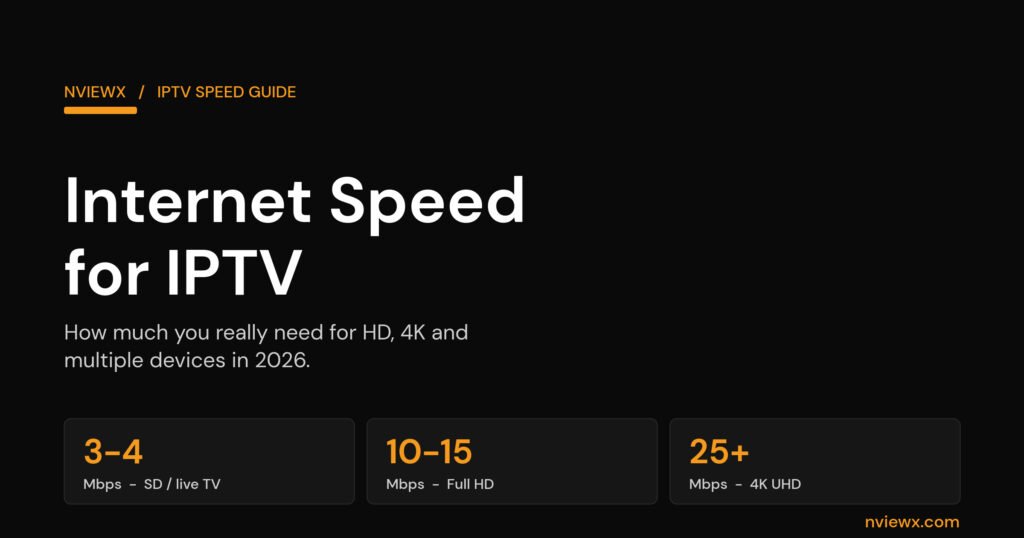
On a healthy broadband connection, IPTV matches or beats cable on picture quality. It supports HD and 4K with adaptive streaming protocols that scale the resolution to your available bandwidth, and the digital pipeline avoids the signal degradation that older analogue runs could suffer. As a rough guide, plan on roughly 10–15 Mbps for solid HD and 25 Mbps or more if you want 4K without compromise.
Reliability is the one category where cable has a genuine, hard-to-argue edge. Because cable rides its own dedicated line, it doesn’t care whether your internet is up. IPTV does. If your broadband drops, buffers, or chokes during peak evening hours, your stream suffers with it. On a stable connection this almost never comes up; on a flaky one, it’s the difference-maker.
So the trade is real but lopsided: IPTV gives you better quality and more features most of the time, in exchange for needing the internet to behave. Cable gives you fewer features but a signal that survives a router reboot, a storm, or an outage.
Equipment and setup
Cable means a technician visit, or at least a self-install kit, plus a rented box wired to every TV you want to watch on. It’s tidy and it works, but it’s hardware you don’t own and can’t take with you.
IPTV setup is lighter. You need three things: a broadband connection, a subscription, and a player app. There’s no truck roll and no hardware to install — you load an app like TiviMate, IPTV Smarters, or a similar player onto a device you already have, enter your login or playlist, and you’re watching. If you want it on the living-room TV, a cheap Firestick or Android box does the job. Our guide to setting up IPTV walks through the whole thing, and if you’re on Amazon’s stick, the Firestick install guide covers that path step by step.
Contracts and commitment
Cable still leans heavily on contracts — commonly 12 to 24 months, with early-termination fees if you leave. That’s great for the provider and less great for you when the promo price expires and the bill climbs. IPTV is typically the opposite: month-to-month is common, and walking away usually means just not renewing. That low commitment is a big part of why people try it in the first place — the downside of a bad month is small.
Who should pick which
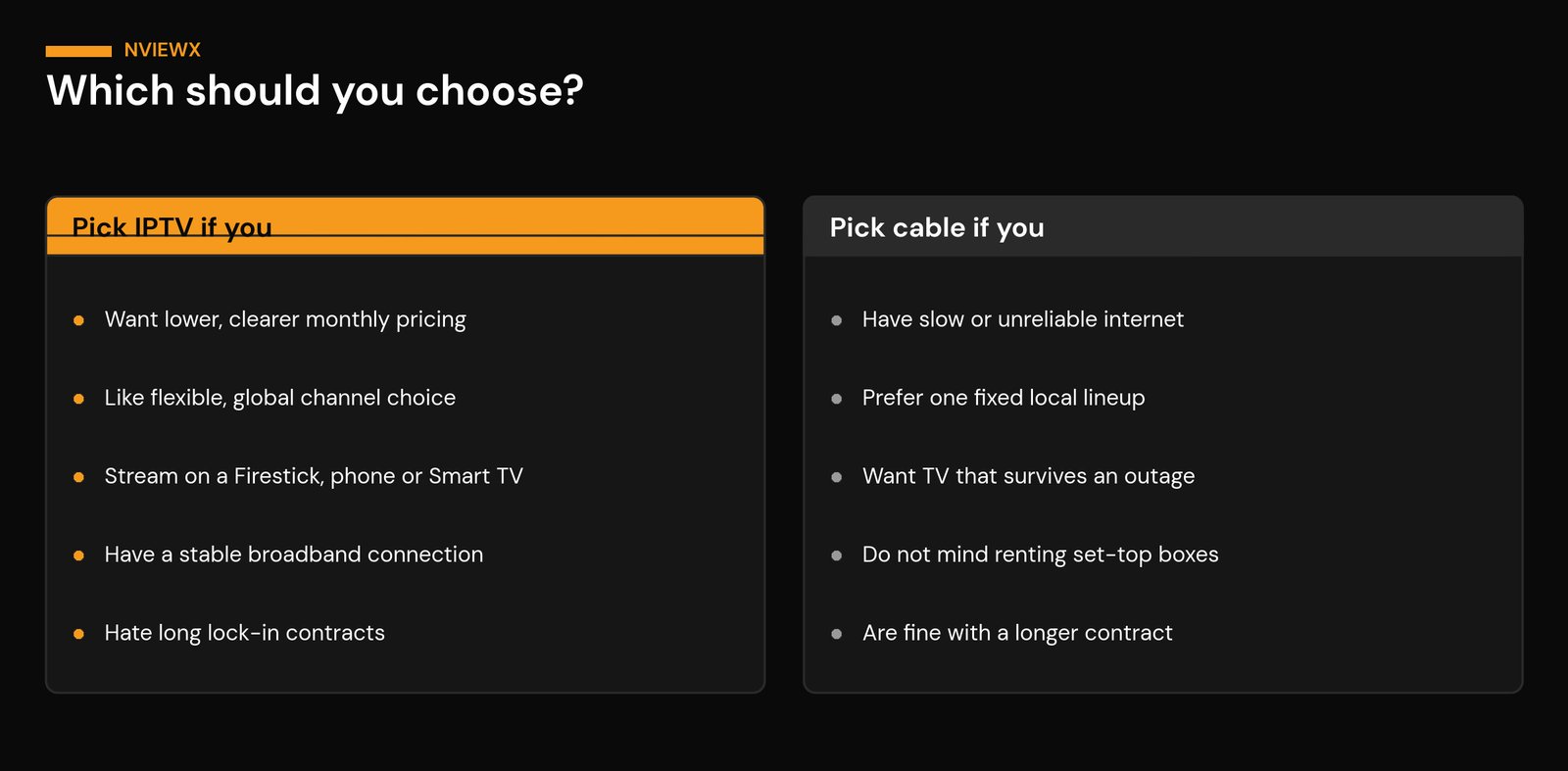
Choose IPTV if you have a stable broadband line, you want lower and clearer monthly pricing, you like the freedom to pick flexible or international lineups, and you’d rather watch on devices you already own without signing a long contract.
Choose cable if your internet is slow or unreliable, you want a single fixed local lineup that’s dead simple, and you value a TV signal that keeps running during an internet outage — and you don’t mind renting boxes or committing for a year or two to get it.
For most people on decent broadband in 2026, IPTV is the more practical, cheaper, more flexible option. Cable’s strongest argument is reliability without an internet dependency, and that genuinely matters in some homes. Be honest about your connection and your tolerance for the occasional buffer, and the answer usually picks itself.
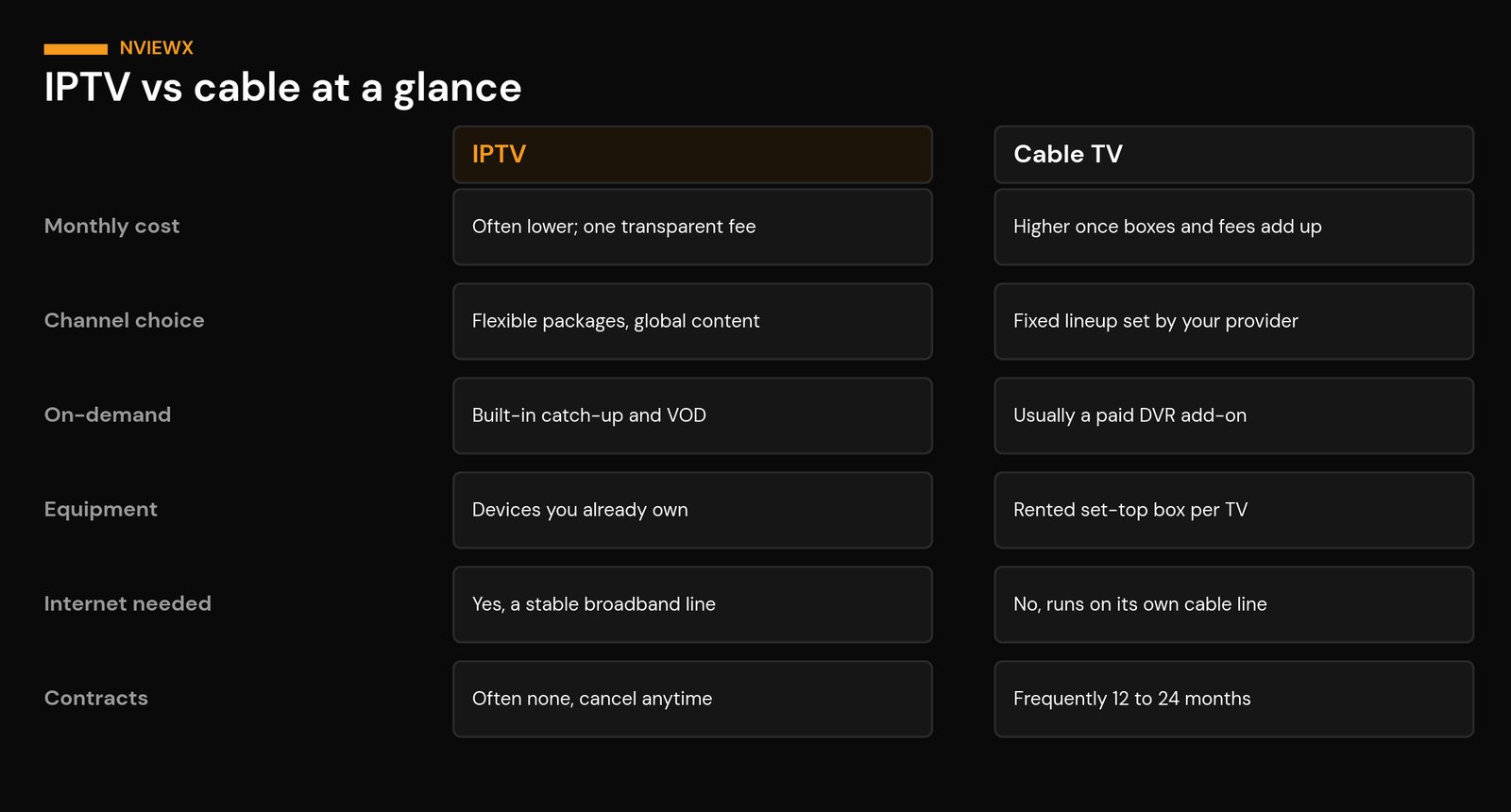
IPTV vs cable: side-by-side comparison
| Factor | IPTV | Cable TV |
|---|---|---|
| Monthly cost | Often lower; one transparent fee | Higher once fees and box rental are added |
| Channel choice | Flexible packages, global content | Fixed lineup set by your provider |
| On-demand | Catch-up and VOD usually built in | Time-shifting is usually a paid DVR add-on |
| Equipment | Runs on devices you already own | Rented set-top box per TV |
| Internet needed | Yes — a stable broadband line | No — runs on its own dedicated line |
| Picture quality | HD and 4K, scales with bandwidth | Consistent HD; 4K can be limited |
| Reliability | Depends on your connection | Very stable, survives net outages |
| Contracts | Often none; cancel anytime | Frequently 12–24 months |
Frequently asked questions
Is IPTV cheaper than cable?
Usually, yes. The gap mostly comes from cable’s add-on fees and per-TV box rental, which the advertised rate hides. IPTV’s flat subscription, running on hardware you already own, tends to land lower once everything is counted — just remember it relies on the broadband line you’re already paying for.
Do I need fast internet for IPTV?
You need a stable connection more than a blazing-fast one. Around 10–15 Mbps handles HD comfortably, and 25 Mbps or more is sensible for 4K. Consistency matters most — a steady 20 Mbps beats a 100 Mbps line that drops every evening.
Is the picture quality better on IPTV or cable?
On a healthy connection IPTV matches or beats cable, with HD and 4K and no analogue signal loss. Cable’s quality is more consistent because it never depends on your internet, but its 4K availability is often more limited.
What happens to IPTV when the internet goes down?
It stops, because the stream travels over your connection. That’s cable’s one clear advantage: it runs on its own dedicated line and keeps working through an internet outage. If your broadband is unreliable, factor that in.
Do I need special equipment to switch to IPTV?
No. A device you already own and a player app are enough — a Firestick, Android box, Smart TV, phone, or laptop all work. There’s no technician visit and no box to rent. See our setup guide to get started.
Is IPTV legal?
IPTV as a technology is completely legal — it’s just TV delivered over the internet. What matters is using a properly licensed service. Our guide to getting a legal IPTV service explains how to tell a legitimate provider from a sketchy one.
What is IPTV exactly?
It’s live and on-demand television delivered as internet data rather than over a broadcast or cable signal. If you want the full primer, read what IPTV service is, and for the login format many apps use, see what Xtream Codes are.
Can I keep cable and try IPTV at the same time?
Yes, and plenty of people do exactly that before cutting the cord. Because IPTV is usually month-to-month and runs on devices you already own, running both for a month to compare them in your own home costs very little.
Thinking about making the switch? Browse the rest of the Nviewx guides to set up IPTV the right way, pick a legitimate service, and get the most out of whatever device you already own.