Skip to content


Google TV Streamer for IPTV: The Honest 2026 Verdict
The Google TV Streamer for IPTV is an easy device to over-sell and an easy one to dismiss. At $99.99 it costs roughly twice what a good stick costs, it runs the same operating system as a $40 dongle, and on paper it plays the same files. So the fair question is not “is it powerful” — it is “does the extra money remove a problem you actually have?”
For a lot of IPTV setups the answer is yes, and for a very specific reason that has nothing to do with the processor. This is a hands-on look at what the Streamer fixes, what it quietly does not fix, how it compares to the Chromecast it replaced, and the three types of viewer who should skip it entirely.
The short verdict: who should buy it
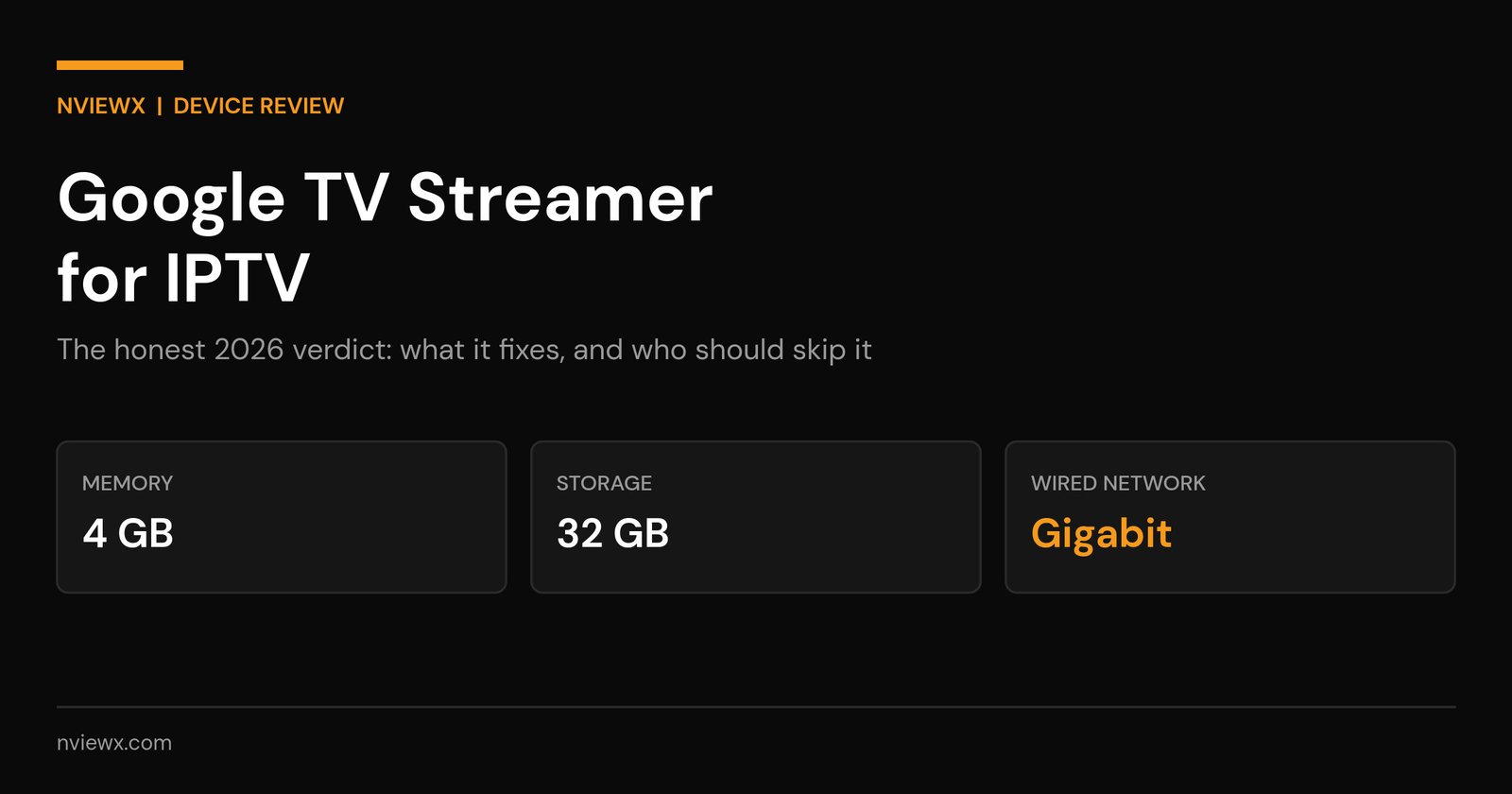
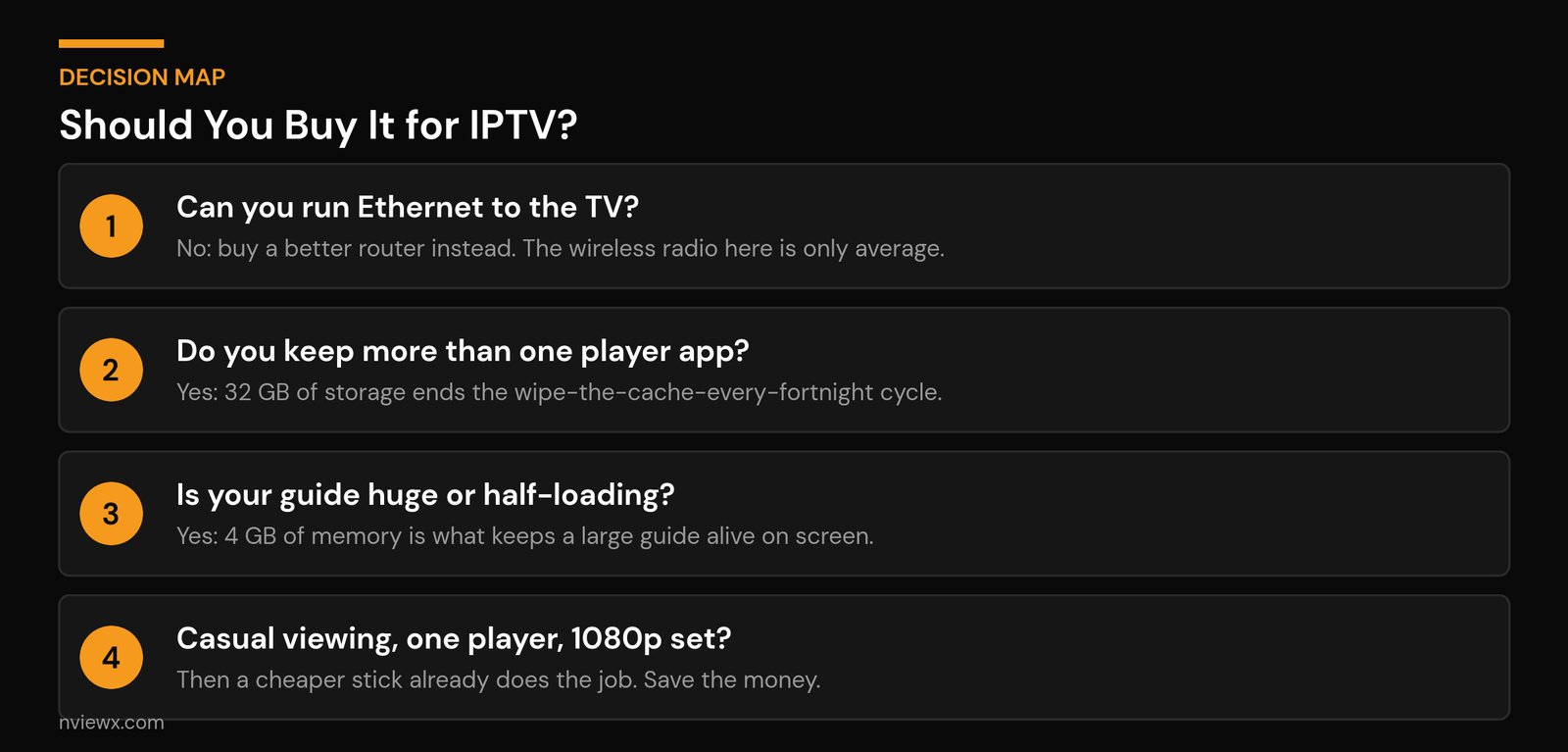
Buy it if your streams are unstable and your TV is somewhere you can run a cable. Skip it if your only complaint is that menus feel slow. Here is the honest split:
| If this is you | Verdict |
|---|---|
| Wi-Fi drops or stutters at night, and the router is reachable by cable | Buy. The built-in gigabit port is the whole reason this box exists for you. |
| You keep two or three players installed plus recordings and a huge guide | Buy. 32GB and 4GB of memory end the “storage full” cycle. |
| Your old Chromecast keeps reloading the app or losing the guide | Buy. This is the exact hardware limit you are hitting. |
| You stream over Wi-Fi only and cannot cable the TV | Think twice. It is Wi-Fi 5, not Wi-Fi 6 — you gain almost nothing wirelessly. |
| You watch one or two hours a week on a 1080p set | Skip. A cheaper stick does the same job. |
What the Google TV Streamer actually is
It is Google’s own set-top box, launched in late 2024 to replace the Chromecast with Google TV, which Google pulled from sale in early 2025. It runs Android TV OS with the Google TV interface on top, so it draws from the same app catalogue every other Android TV device uses. That matters for IPTV, because the serious players — the ones with a proper cable-style guide, recording and multiple playlists — are Android apps first.
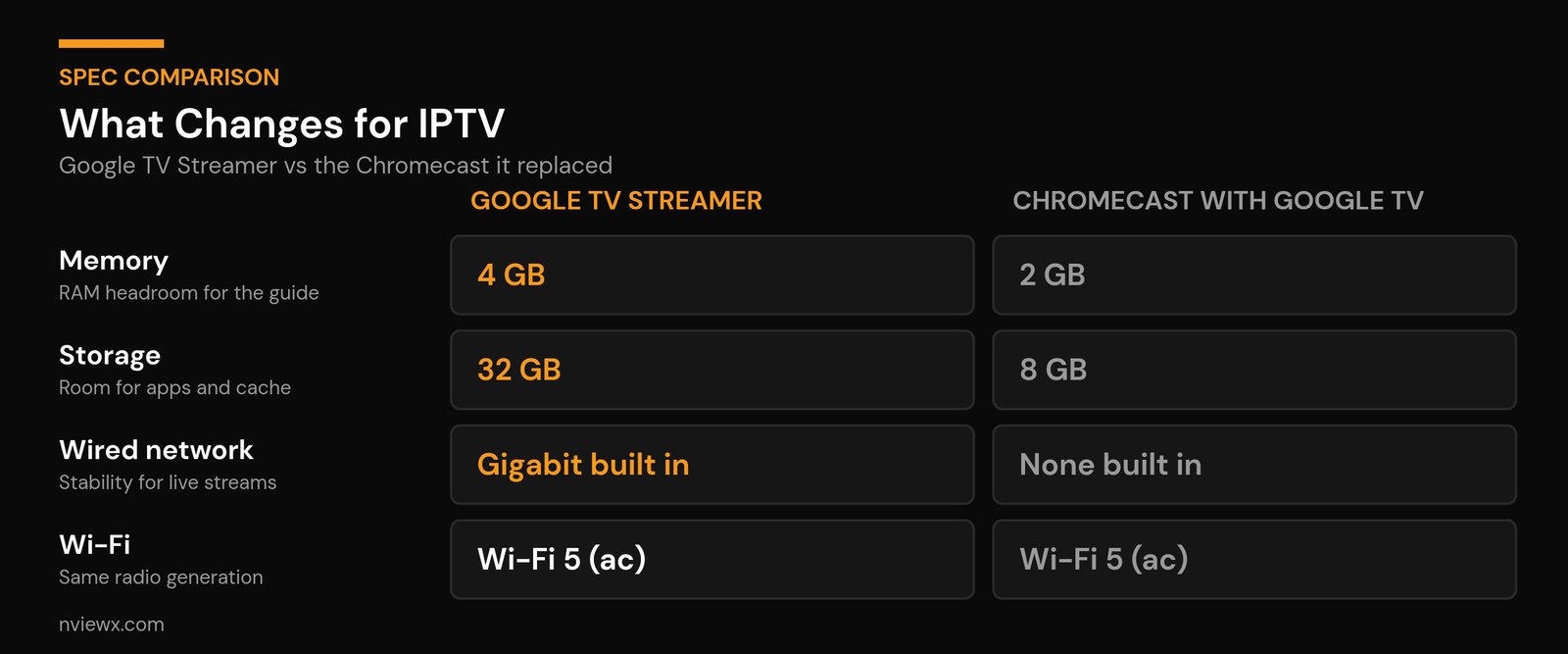
Physically it stopped being a dongle. It is a flat 6.4-inch slab that sits on the shelf rather than dangling behind the screen, which sounds cosmetic until you realise that is what made room for a real network port and better cooling. The published specification looks like this:
| Spec | Google TV Streamer (4K) | Chromecast with Google TV (4K) |
|---|---|---|
| Memory | 4 GB | 2 GB |
| Storage | 32 GB | 8 GB |
| Wired network | Ethernet 10/100/1000 Mbps, built in | None (optional 100 Mbps adapter) |
| Wi-Fi | 802.11ac, 2.4 / 5 GHz | 802.11ac, 2.4 / 5 GHz |
| Video out | HDMI 2.1, up to 4K HDR 60fps | HDMI 2.0, up to 4K HDR 60fps |
| HDR formats | Dolby Vision, HDR10, HDR10+, HLG | Dolby Vision, HDR10, HDR10+, HLG |
| Price at launch | $99.99 | $49.99 |
The three upgrades that matter for IPTV
1. A real gigabit Ethernet port
This is the headline, and it is not close. Live IPTV is unforgiving in a way on-demand video is not: an on-demand app buffers thirty seconds ahead and rides out a dip, while a live stream has almost nothing banked. A half-second of Wi-Fi interference on a busy evening becomes a visible stutter.
The old Chromecast had no network port at all. You could add one through a special power adapter, but that adapter topped out at 100 Mbps and added another thing to go wrong. The Streamer has gigabit Ethernet on the back as standard, and plugging a cable in removes an entire category of problem — neighbour interference, 2.4 GHz congestion, roaming between mesh nodes, the lot.
If cabling is genuinely impossible, do not buy this box for its wireless. It uses 802.11ac, the same Wi-Fi 5 generation the Chromecast used, at a price where several rivals now ship Wi-Fi 6. Spend the money on a better router instead — it will do more for a wireless stream than a new box will.
2. Storage that stops filling up
Eight gigabytes sounds like plenty until the system takes its share and you are left with well under half of it. Then you install a player, let it cache a guide covering several hundred channels and a week of listings, add a backup player because the first one occasionally chokes on a stream, and you are wiping cache every fortnight to keep things working.
32GB ends that maintenance loop. You can keep two or three players side by side, hold a large guide cache, and still have room for local recordings without playing the delete-something game. If you have been chasing an IPTV app that keeps crashing, storage pressure is one of the most common causes and one of the least obvious.
3. Memory that keeps the guide responsive
4GB of RAM is not about raw speed, it is about what stays alive in the background. Loading a large guide is a memory-heavy operation, and on a 2GB device the system will happily kill your player mid-load to reclaim space — which shows up as the app closing to the home screen, or a guide that is permanently half-populated. Double the memory and that stops happening. Channel surfing feels quicker for the same reason: the player is still resident instead of cold-starting.
Where it falls short
Four honest caveats, none of them dealbreakers on their own:
- Wi-Fi 5 at a Wi-Fi 6 price. If you cannot run a cable, the network side of this box is a 2020-era specification with a 2024-era price tag.
- No HDMI cable in the box. Google ships the remote, the power adapter and the power cable — a certified HDMI 2.1 cable is a separate purchase. Budget for it.
- One USB-C port, doing everything. Power and data share the single port, so attaching external storage for recordings means a powered hub or a splitter, not a spare socket.
- It is a shelf device now. Wall-mounted screens and tight media cabinets that suited a dongle need rethinking. It also needs mains power; there is no running it off the TV’s USB port.
Google TV Streamer vs the other IPTV boxes
Against the devices people actually cross-shop it with:
| Device | Wired port | Storage | Best for |
|---|---|---|---|
| Google TV Streamer | Gigabit, built in | 32 GB | Wired setups and heavy guide users |
| Fire TV Stick 4K Max | Adapter only | 16 GB | Cheapest capable stick, easy sideloading |
| NVIDIA Shield TV Pro | Gigabit, built in | 16 GB + USB | Power users who want USB storage and long support |
| No-name Android box | Usually built in | Varies | Nothing — uncertified firmware is a real security risk |
That last row deserves its own warning. Cheap uncertified boxes advertise the same port and more storage for a third of the price, and a meaningful share of them ship with modified firmware and no security updates. We go into why in the guide to choosing a certified Android TV box.
How to set up IPTV on a Google TV Streamer
- Cable it before anything else. Plug Ethernet in during first-time setup so the box never learns your Wi-Fi as its default route. Confirm under Settings, Network and Internet that it shows a wired connection.
- Finish the Google account setup. The Play Store needs a signed-in account before you can install anything.
- Install your player from the Play Store. The mainstream Android TV players are listed there, so no sideloading is needed for most people. Our comparison of IPTV players for Android TV and Google TV covers which one suits which setup.
- Add your playlist. Enter your provider’s portal or playlist details exactly as issued — a single wrong character is the most common cause of a login that will not take.
- Let the guide download fully. The first guide load on a large channel list can take several minutes. Leave it alone until it finishes, or you will get the half-empty guide people mistake for a provider fault.
- Set the display to match your TV. Under Display and Sound, lock the resolution and refresh rate rather than leaving it automatic, and turn on match-content-frame-rate if your set supports it. This removes most judder complaints.
If streams still stutter after all that, the box is not your problem. Work through how much speed IPTV really needs and then why streams buffer at peak hours — that pairing solves most of what is left.
Frequently asked questions
Is the Google TV Streamer good for IPTV?
Yes, particularly for wired setups. The built-in gigabit port, 4GB of memory and 32GB of storage remove the three limits people most often hit on cheaper streaming devices. Wirelessly it is only average for the money.
Can I still use my Chromecast with Google TV for IPTV?
Yes. Google stopped selling it but existing units still work and still receive updates. It is fine for a single player on a stable network; it struggles when you run several apps, a big guide cache and recordings on 8GB of storage.
Does the Google TV Streamer support TiviMate and other IPTV players?
It runs Android TV OS, so the main Android TV players install straight from the Play Store. Apps that are not listed can be sideloaded the same way as on any Android TV device.
Do I need Ethernet, or is Wi-Fi enough?
Wi-Fi is enough on a quiet 5 GHz network with a strong signal. Cable it if you stream live content during busy evening hours, live in a flat with crowded Wi-Fi channels, or use a mesh system where the TV sits between nodes.
Is it worth upgrading from a Fire TV Stick 4K Max?
Only for the wired port and the storage. If your Firestick already runs on Ethernet through an adapter and you only keep one player installed, the upgrade will feel marginal.
The bottom line
The Google TV Streamer for IPTV is not a performance story, it is a plumbing story. Almost everything it improves — the network port, the storage, the memory headroom — targets the failure modes that make live streams unwatchable, rather than the benchmark numbers that make a spec sheet look good. If you can reach your router with a cable, that $99.99 buys a genuinely more reliable evening of viewing.
If you cannot cable it, the maths changes completely. A Wi-Fi 5 radio at this price is the weak part of the package, and the same money spent on your network will do more good. Decide which of those two you are, and the answer stops being complicated.
Related guides
- Best Android TV Box for IPTV: Certified Picks
- Best IPTV Players for Android TV and Google TV
- Best Fire TV Stick for IPTV: Which Firestick to Buy?
- MAG Box vs Firestick vs Android TV Box
- Best Router for IPTV: What Actually Stops Buffering
Written by the Nviewx team, who run a premium IPTV service and set up and troubleshoot streaming on Firestick, Android TV, Google TV, Apple TV, smart TVs and mobile every day. Specifications quoted are the manufacturer’s published figures at the time of writing.