How to Set Up IPTV in 2026: A Complete Guide to Streaming TV
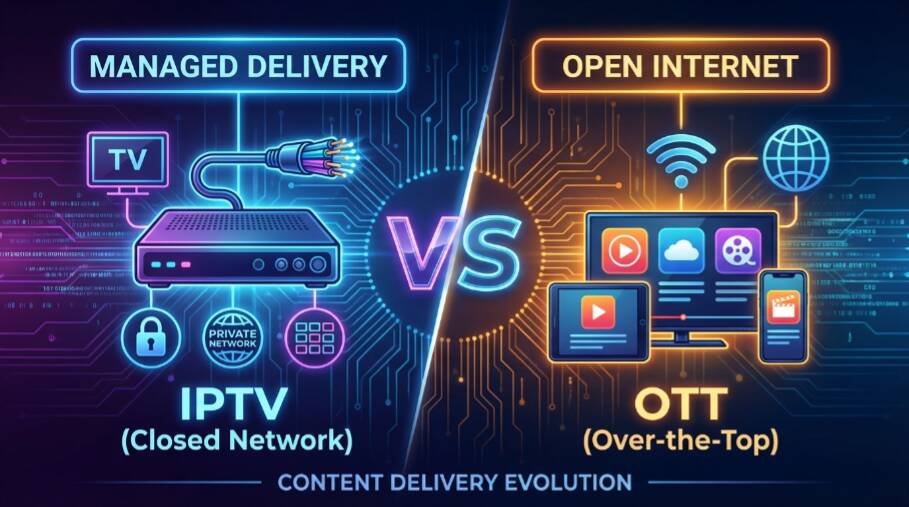
IPTV (Internet Protocol Television) offers a modern way to watch live TV, on-demand content, and sports events through an internet connection. Setting up IPTV is simple, and it can be done in just a few easy steps. This guide will take you through the process of setting up IPTV on your devices, including smart TVs, smartphones, tablets, and more, so you can start streaming your favorite content.
What Do You Need for IPTV?
Before setting up IPTV, make sure you have the following:
- A Stable Internet Connection: IPTV requires a high-speed broadband internet connection to stream content without buffering. A minimum speed of 10 Mbps is recommended for HD streaming, while 25 Mbps or higher is ideal for 4K content.
- An IPTV Subscription: You’ll need an IPTV service provider. Choose a reputable provider like Nviewx that offers licensed content, a variety of channels, and on-demand streaming options.
- A Compatible Device: IPTV can be accessed on many devices, including Smart TVs, smartphones, tablets, laptops, and set-top boxes. Ensure your device is compatible with the IPTV service you choose.
Step 1: Choose an IPTV Provider
The first step in setting up IPTV is choosing a reliable IPTV provider. Look for a provider that offers a wide range of channels, high-quality content, and excellent customer service. Make sure the service you choose is legal and authorized to distribute content. Popular providers include Nviewx for global and local content.
Step 2: Select Your IPTV Subscription Plan
Once you’ve chosen an IPTV provider, you’ll need to select a subscription plan. IPTV services typically offer a range of packages, from basic plans that include a small number of channels to premium plans that offer hundreds of channels and on-demand content. Some services also offer add-ons for sports, movies, or international content.
Most IPTV providers offer flexible subscription options, including monthly, quarterly, or annual plans. Choose the plan that best fits your viewing preferences and budget.
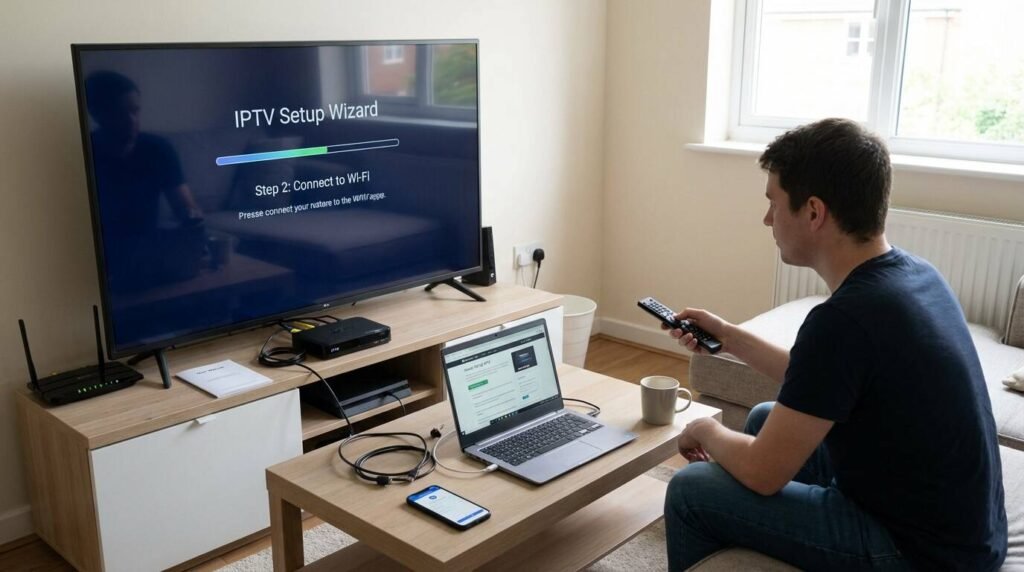
Step 3: Install the IPTV App or Set-Top Box
There are two main ways to access IPTV content:
- IPTV App: Many IPTV services offer apps that you can download and install on your device. These apps are compatible with Smart TVs, Android and iOS devices, and desktop computers. Simply download the app from the app store or the provider’s website and install it on your device.
- Set-Top Box: Some IPTV providers offer set-top boxes that connect to your TV and provide easy access to IPTV content. These boxes are typically plug-and-play and come with the IPTV service pre-installed.
Follow the installation instructions provided by your IPTV provider to set up the app or set-top box on your device.
Step 4: Log In to Your IPTV Account
After installing the app or connecting the set-top box, you’ll need to log in using the account details provided by your IPTV provider. This typically includes your username, password, and possibly an activation code or URL to link your device to your account.
Step 5: Set Up Your IPTV Channels
Once logged in, the next step is to set up your IPTV channels. Many IPTV apps and set-top boxes allow you to customize your channel list by organizing channels into categories, creating favorites, and adding or removing channels.
If your IPTV service offers an Electronic Program Guide (EPG), you can access a schedule of upcoming programs and navigate channels easily. Set up your preferred viewing time and start enjoying your favorite content.
Step 6: Enjoy Streaming Your Favorite Content
Once your IPTV app or set-top box is set up and your channels are organized, you can start streaming content. Most IPTV services allow you to watch live TV, movies, TV shows, sports events, and even on-demand content whenever you choose.
Make sure your internet connection is stable to enjoy uninterrupted streaming. If you experience buffering or low-quality video, consider upgrading your internet speed or using a wired connection instead of Wi-Fi for more reliable streaming.
FAQs About IPTV Setup
What devices can I use to watch IPTV?
You can watch IPTV on a wide range of devices, including Smart TVs, smartphones, tablets, laptops, computers, and IPTV set-top boxes. Most IPTV services support multiple platforms, allowing you to stream on different devices.
Do I need special equipment for IPTV?
No, you don’t need special equipment for IPTV unless you want to use a set-top box. Most users can access IPTV content using a compatible device and app.
Can I use IPTV without a cable connection?
Yes! IPTV uses the internet to deliver content, so you don’t need a traditional cable or satellite connection. All you need is a stable internet connection and a compatible device to enjoy IPTV.
Conclusion
Setting up IPTV is easy and affordable, allowing you to access a wide variety of channels, on-demand content, and more. By following these steps, you can start enjoying high-quality IPTV content on your favorite devices. Whether you’re using an app or a set-top box, IPTV provides a flexible and convenient way to watch TV on your terms.
For a reliable and legal IPTV service, visit Nviewx for a seamless streaming experience.