Skip to content
How Can I Use the Electronic Program Guide (EPG)?
The Electronic Program Guide (EPG) helps you navigate through available content on Nviewx. Here’s how you can use it effectively:
Using the EPG
The EPG provides an easy way to see what’s coming up next on live TV and browse through on-demand content.
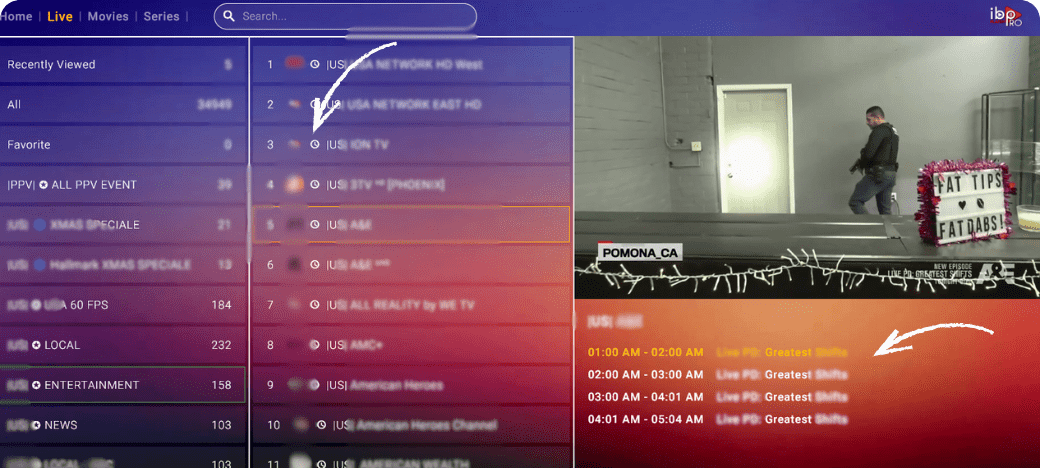
Steps to Use the EPG
- After subscribing to our service, Open your preferred app like IBO Player Pro.
- Choose your preferred channel (must have a clock icon next to it).
- Below the content channel (video) you will find the EPG section
- Browse the available TV channels and upcoming content.
- Click on any program to view more details or set reminders.
Need Help with EPG?
For additional support, visit our EPG guide.