Skip to content
How to Switch to Another Plan?
Upgrading your plan allows you to access additional channels, premium content, and enhanced features. If you’re looking to Upgrade/Downgrade your plan with Nviewx, follow the simple steps below:
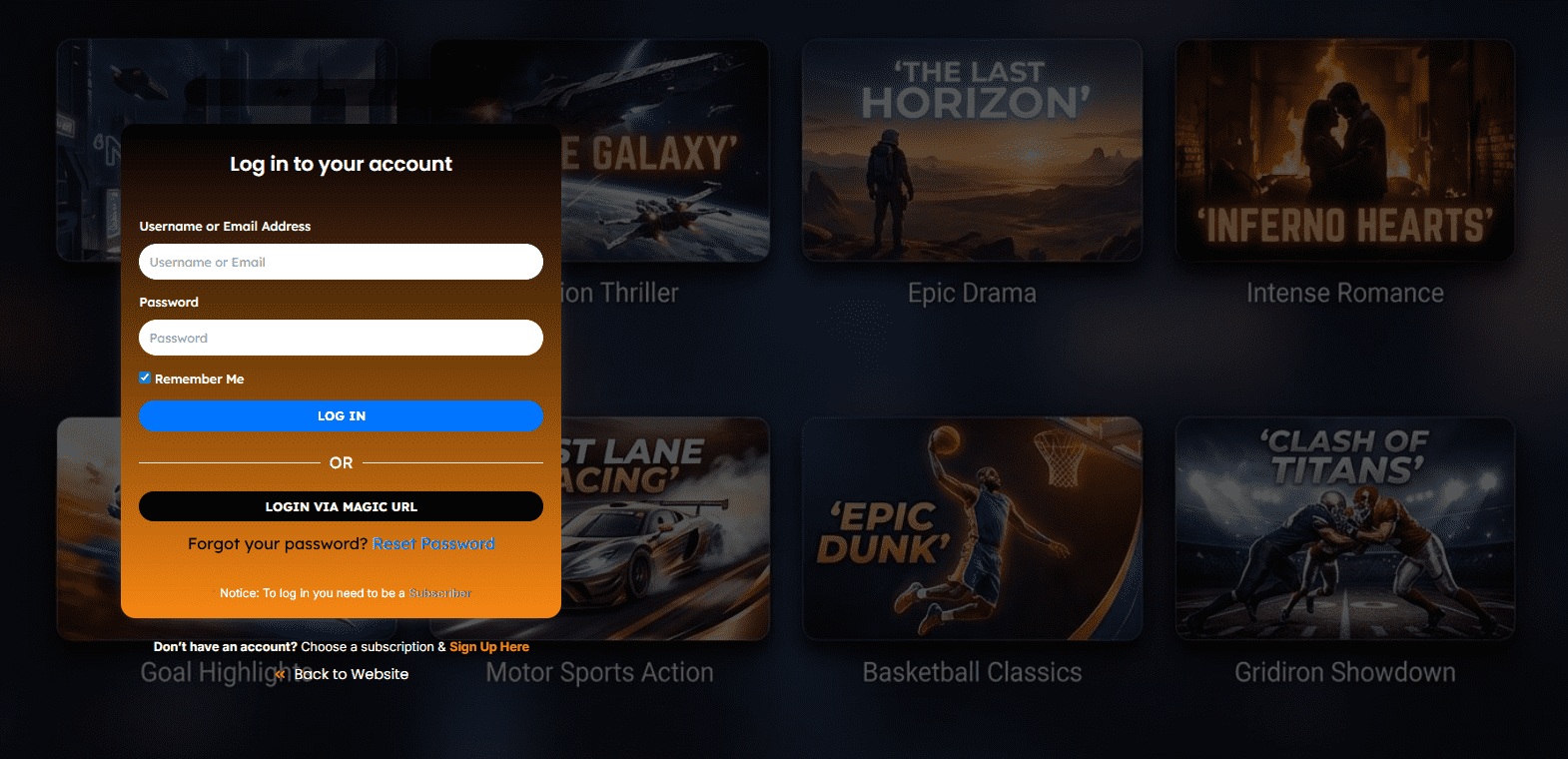
Step 1: Log In to Your Account
Start by logging in to your account on Nviewx using your username and password. If you have trouble logging in, you can reset your password by clicking the “Forgot Password” link.
Step 2: Go to Your Subscription Page
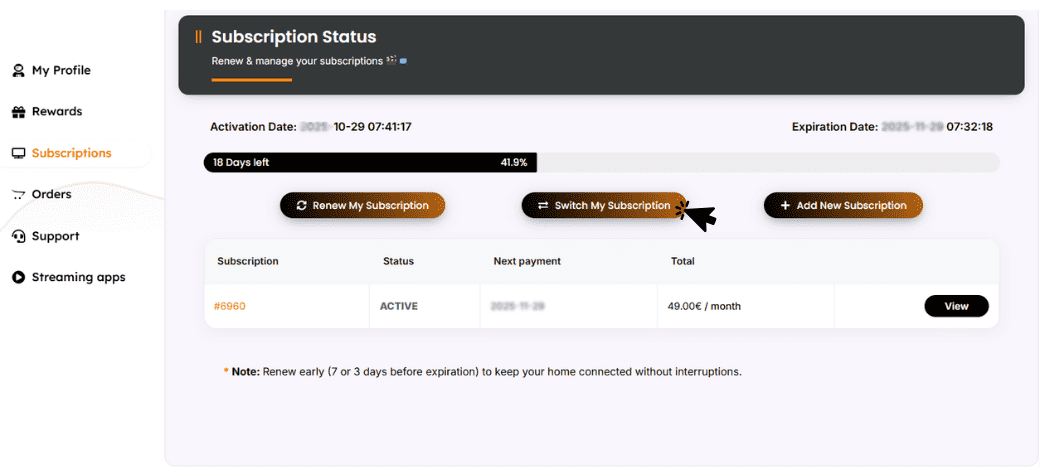
Once logged in, navigate to your account settings and select the “Subscriptions” tab. Here, you will see details about your current plan and renewal options.
Step 3: Select Your New Plan
Click on the “Switch My Subscription” button. You will be presented with several options depending on the content and features you need. Choose the plan that best fits your viewing preferences and click “Upgrade Now”.
Step 4: Review Your Selection
Before finalizing your upgrade, review the details of your new plan, including the cost and additional channels or features. If everything looks good, proceed to payment.Step 5: Make a Payment
Enter your payment details to complete the upgrade process. You can pay using various methods, including BTC, USDC, credit card and PayPal. Double-check your payment information before submitting.Step 6: Confirmation
After your payment is processed, fill out the form with a proof of payment to confirm your order. once we confirm your payment you will receive an email with your subscription details. Your account will immediately reflect the changes, and you can begin enjoying your new content and features.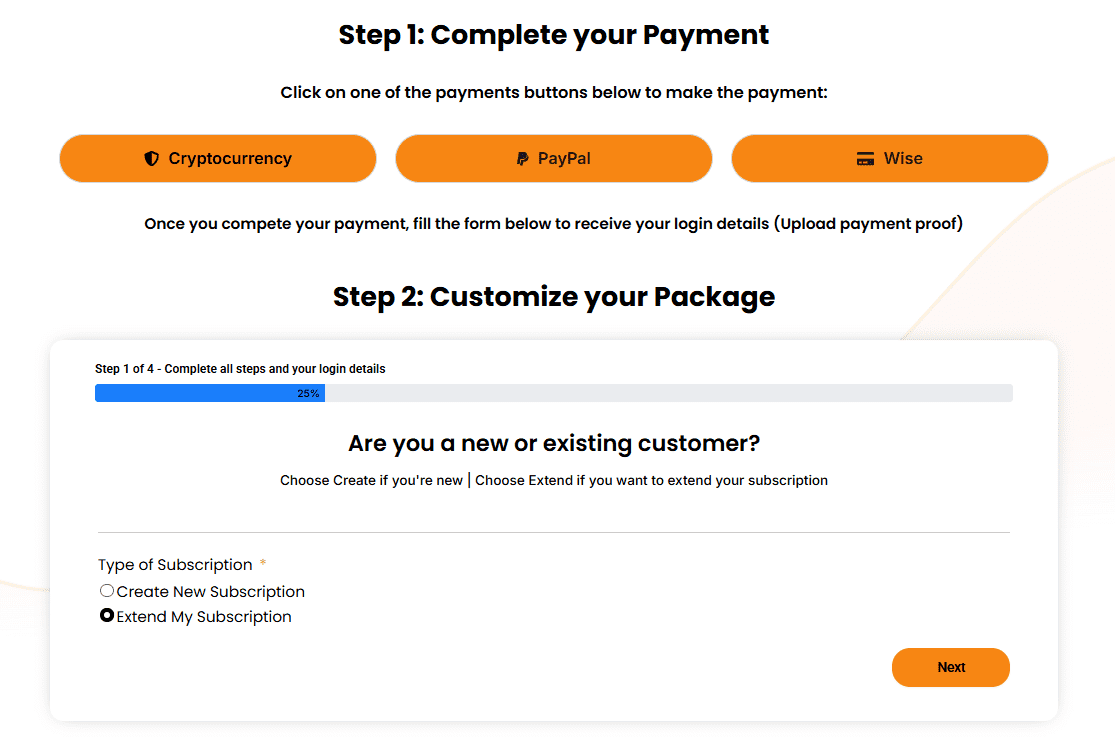
FAQs
Can I change my plan at any time?
Yes, you can upgrade or downgrade your IPTV plan at any time. Simply follow the steps above to select a new plan, and the changes will take effect immediately.
Will I be charged immediately for the upgrade?
Yes, the upgrade cost will be charged immediately upon selecting your new plan. The remaining time in your current plan will be added to the new period. For example, if you have 15 days remaining in your current subscription and you upgraded to a 2-year package, your subscription will be 2 years and 15 days.
Can I downgrade my plan after upgrading?
Yes, you can downgrade your plan if necessary. Just follow the same steps and select a lower-tier plan from your account settings.
Need Assistance?
If you encounter any issues while upgrading your IPTV plan or have questions about the available options, please don’t hesitate to contact our support team. Visit the Contact Page for help.